Yard scheduling and staff rota, from the horses to the team
Who’s riding which horse, who’s going out in the paddock, when the farrier is coming, who’s working this weekend: StallDesk brings the horses’ schedule and the staff rota together, and everyone starts their day with what concerns them.
What you gain
Organisation
Nothing falls through the cracks
Turnout is shared between the people on duty, a session with nobody assigned stays visible under “Unassigned”, and duplicates are flagged.
Money
Accurate hours for payroll
Scheduled and clocked hours compared, days worked, PDF export for payroll. No disputes, no re-typing.
Time
The evening report sends itself
Every day at the time you choose, for anyone who wasn’t there. Everyone exports their rota as a PDF or to their calendar.
The horses’ week, by day, week or month
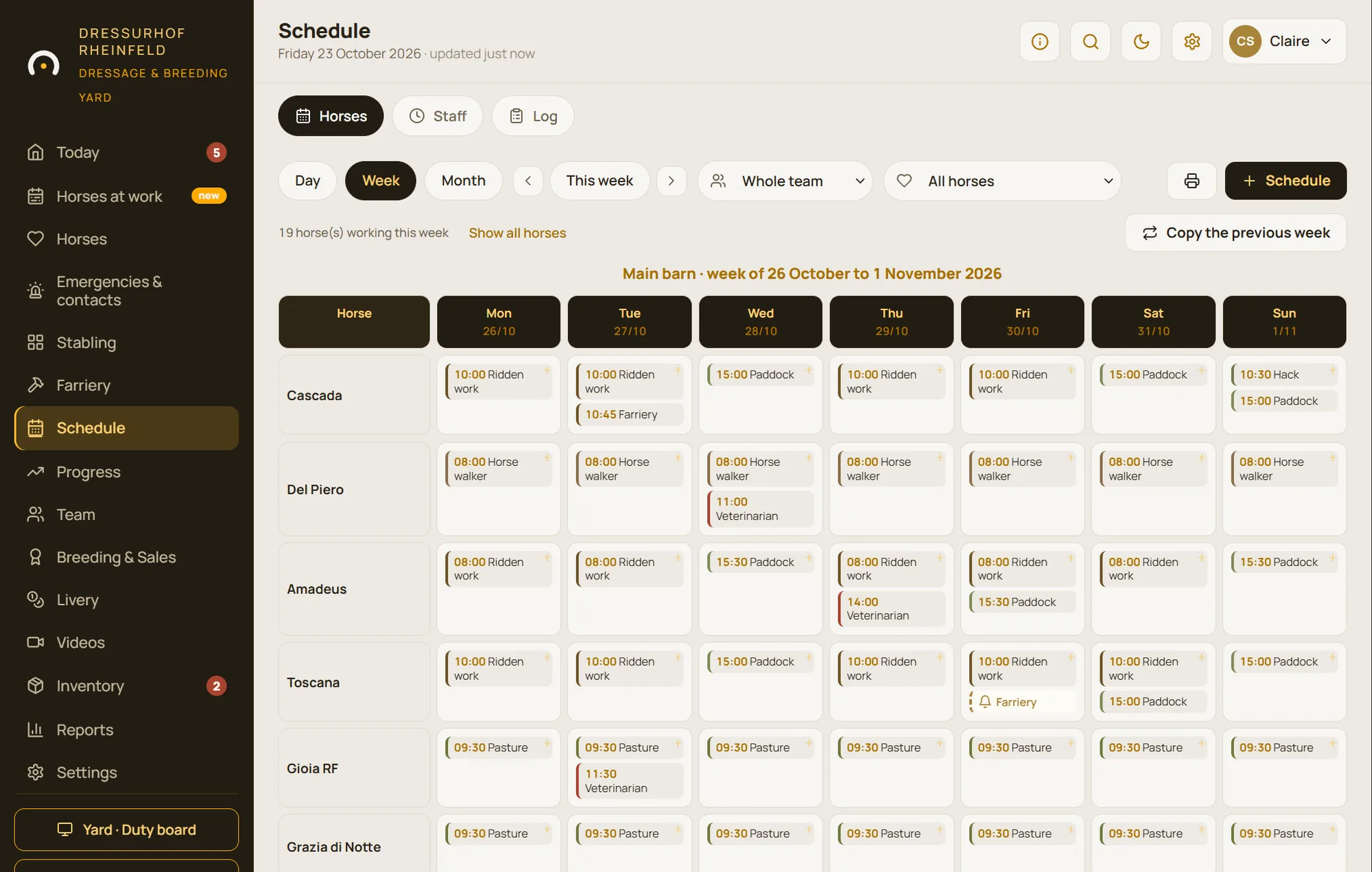
The horses’ schedule brings together work sessions, turnout, care and appointments with the vet, farrier or osteopath. A session can repeat as a series; when you delete it, you choose that session or the whole series.
Turnout is shared out automatically between the people on duty that day. A session with nobody assigned stays visible under “Unassigned”, so nothing falls through the cracks.
- Seventeen ready-made types of work and care, plus your own
- Filter by person and “My sessions” view
- Saved selections and printing of the week or month
Staff shifts, and the hours actually worked
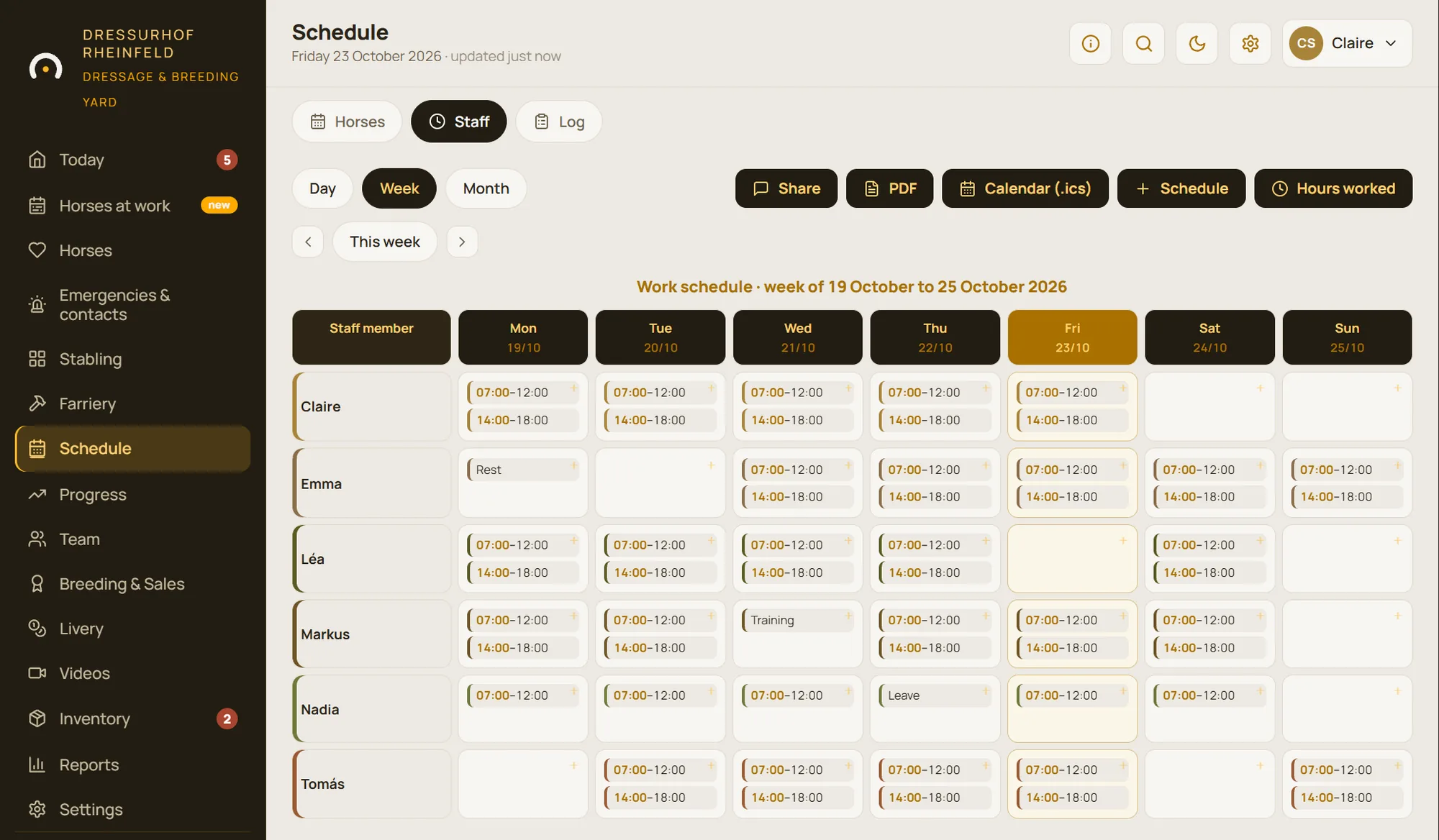
The staff rota sets out work, rest, leave and training shifts, by week or month, with “Morning” and “Afternoon” shortcuts to save time. Everyone can export their rota as a PDF or add it to their calendar.
The hours view compares scheduled and clocked time: hours worked and days worked, with a PDF export for payroll.
- Ten standard roles, from stable hand to apprentice
- Two access levels: manager or user
- A six-digit personal code for everyone
Clock-in and the day’s duties on the yard screen
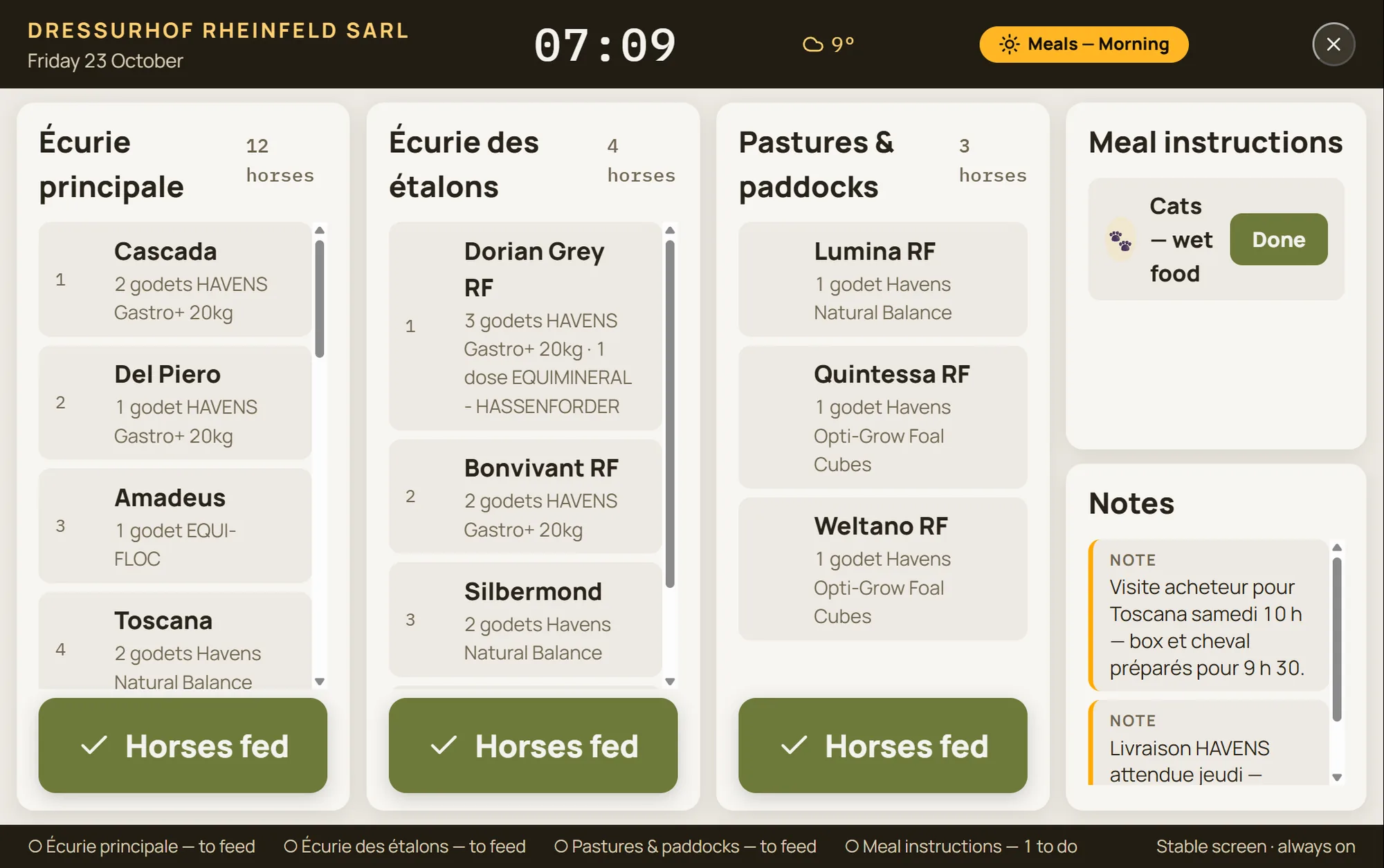
A tablet mounted in the aisle shows the day’s duties in large type: programme, due dates and care, instructions, weather, staff on duty. It refreshes every minute, without anyone logging in, and shows no personal data.
The same screen is used for clocking in: everyone enters their four-digit code when they arrive and when they leave.
Everyone starts with what concerns them
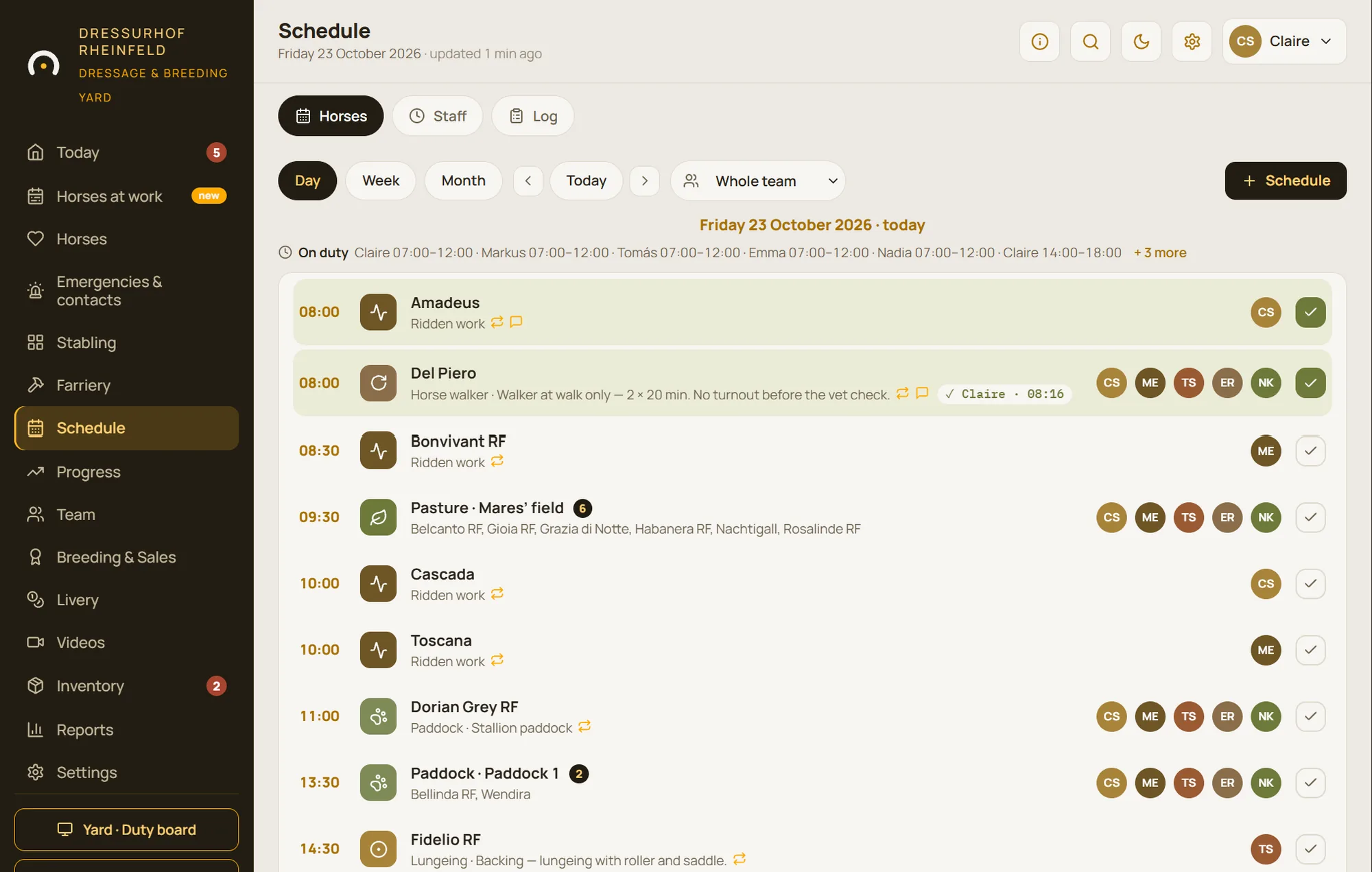
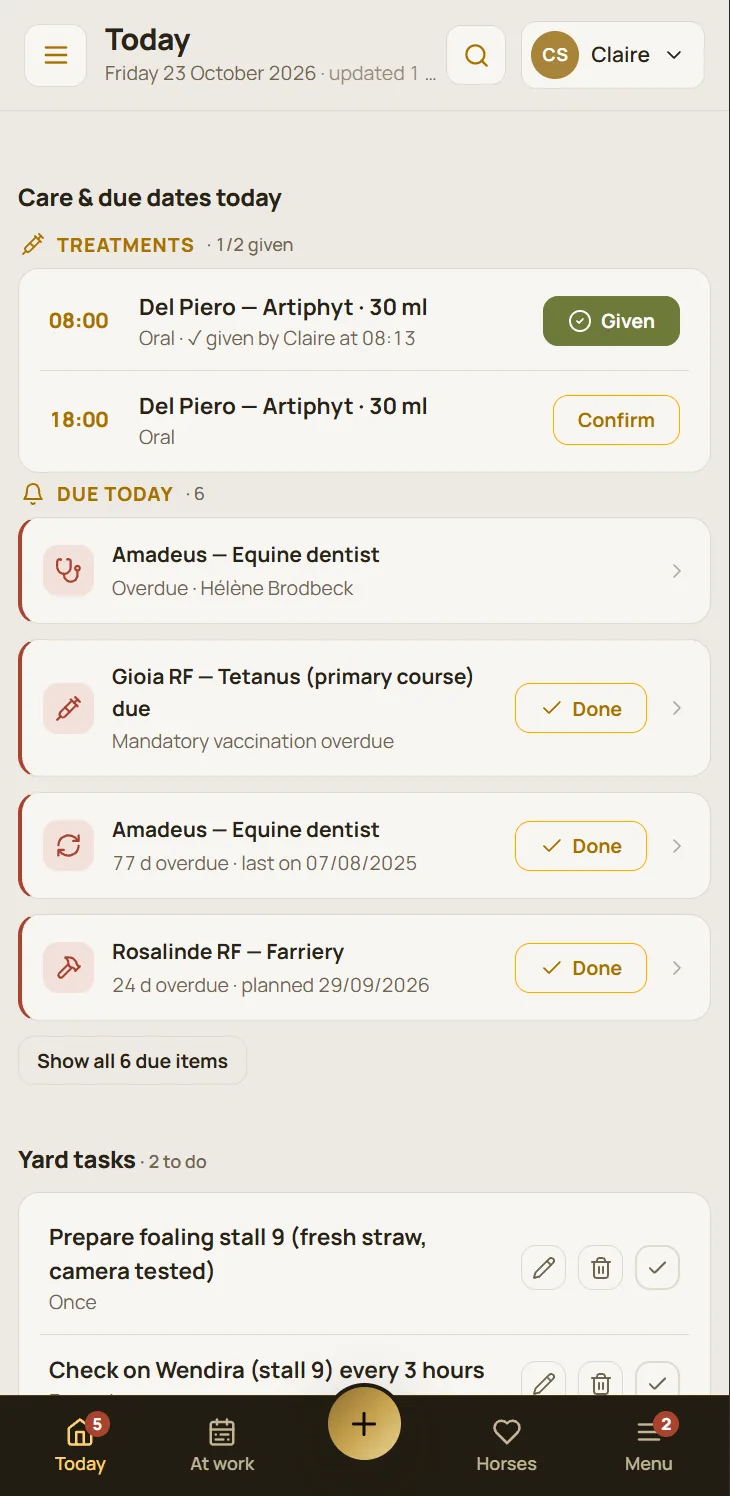
The home screen is built around the profile: manager, rider or yard. A groom sees first what they still have to do and can start the round, horse by horse, in stable order. The manager sees what’s overdue and the requests.
When two people sign off the same session, the second is told who has already done it and when. And every evening, the daily report goes out by email at the time you choose.
- “My first day”: six pointers for a newcomer
- Report a problem with a pictogram, no writing needed
Everything included in scheduling and staff
Horse schedule
Day, week and month views; repeating sessions; named selections; printing.
Types of work
Pasture, paddock, ridden work, lungeing, horse walker, groundwork, hacking, polework, grooming… and your own.
Automatic turnout
Turnout is assigned to the team on duty that day.
Staff rota
Work, rest, leave, training; PDF and calendar export.
Hours
Scheduled versus clocked, hours worked, days worked, PDF export.
Clock-in
Clock in and out on the yard screen, with a four-digit code.
Home screen by profile
Nine blocks to show, collapse or hide for each profile.
Session log
Riders’ feedback under each session, gathered in a log.
Daily report
An email every day, at the time the yard chooses.
Questions about scheduling and staff
Does every team member need an email address?
No. Everyone logs in with a six-digit personal code, on their phone or on the yard tablet.
Can seasonal staff and students on placement use it easily?
Yes: a team member’s home screen only shows what they have to do, “My first day” gives them six pointers, and a problem can be reported with a pictogram.
Can we see who did what?
Yes. Sign-offs carry the person’s name and the time, and the activity log keeps a record of what was created, changed and deleted.
See three weeks of scheduling in action
The demo includes six people, hundreds of sessions, turnout every morning and a young horse being backed twice a week.