Livery yard management from contract to monthly statement, with better-informed owners
Packages, extras, livery statements, payments, check-in and check-out records, health compliance, waiting list: the Livery module handles the admin side of your livery yard. And every owner gets a private area to follow their horse.
What you gain
Money
Everything done is charged for
An extra is added in three taps and appears on the month’s statement. Late payments stand out and reminders go out.
Time
Month-end in a few taps
Livery statements prepare themselves, get numbered and go out as PDFs. Owners’ requests arrive in writing, not by phone.
Safety
Paperwork in order for every livery horse
What to do in an emergency, insurance, consents, check-in and check-out records: a “To check” list flags what’s missing.
A dashboard that shows what needs sorting out
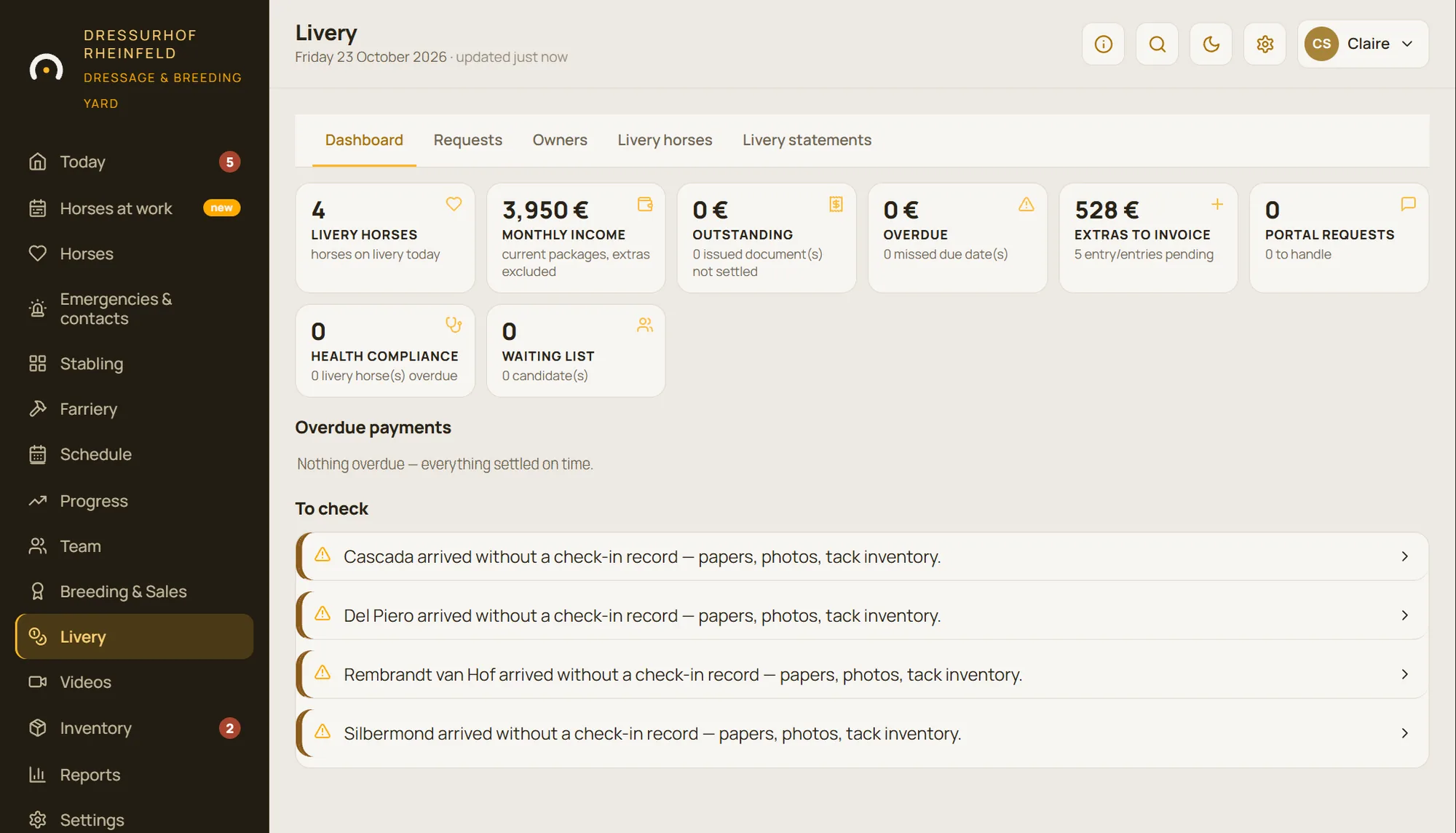
Livery horses, the month’s income, amounts to collect, late payments, extras to invoice, owner requests, health compliance, waiting list: the livery dashboard brings together everything that needs action.
A “To check” list picks up what’s missing: expired insurance, a refusal of emergency treatment, a horse that arrived without a check-in record.
The monthly routine, in a few taps
The livery contract links a package to a start date; the first and last months are pro-rated automatically. A discount, a deposit, a notice period or a custom rate can be added.
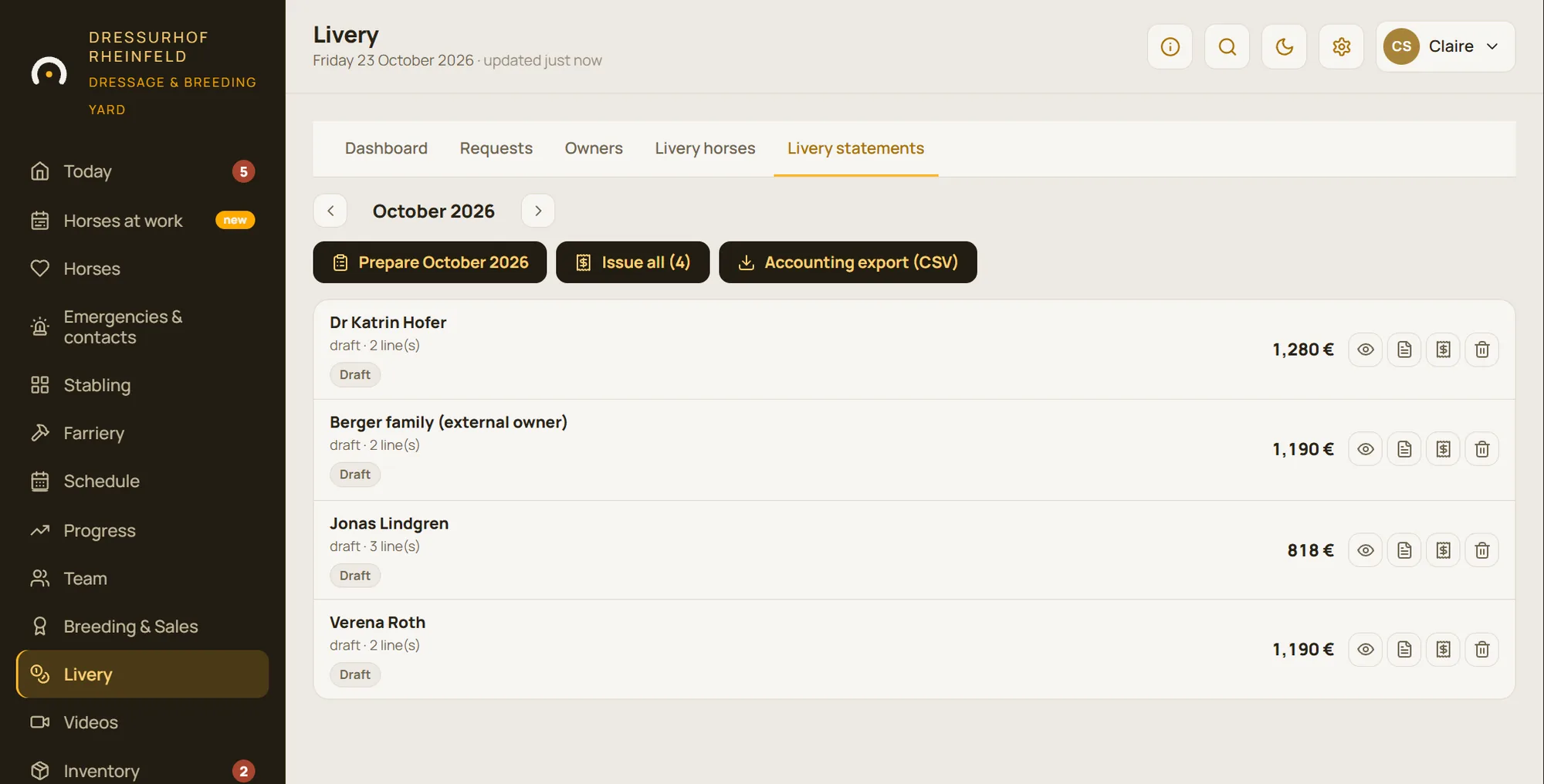
At the end of the month, StallDesk prepares a draft livery statement for each owner, including the extras added during the month. You check them, you issue them: each document is numbered and sent as a PDF in the owner’s language, and payments, even partial ones, are recorded as they come in.
- An extra is added in three taps, including by staff
- Livery statement by default, or a VAT invoice with sequential numbering
- CSV export for your accountant
A complete file for every owner
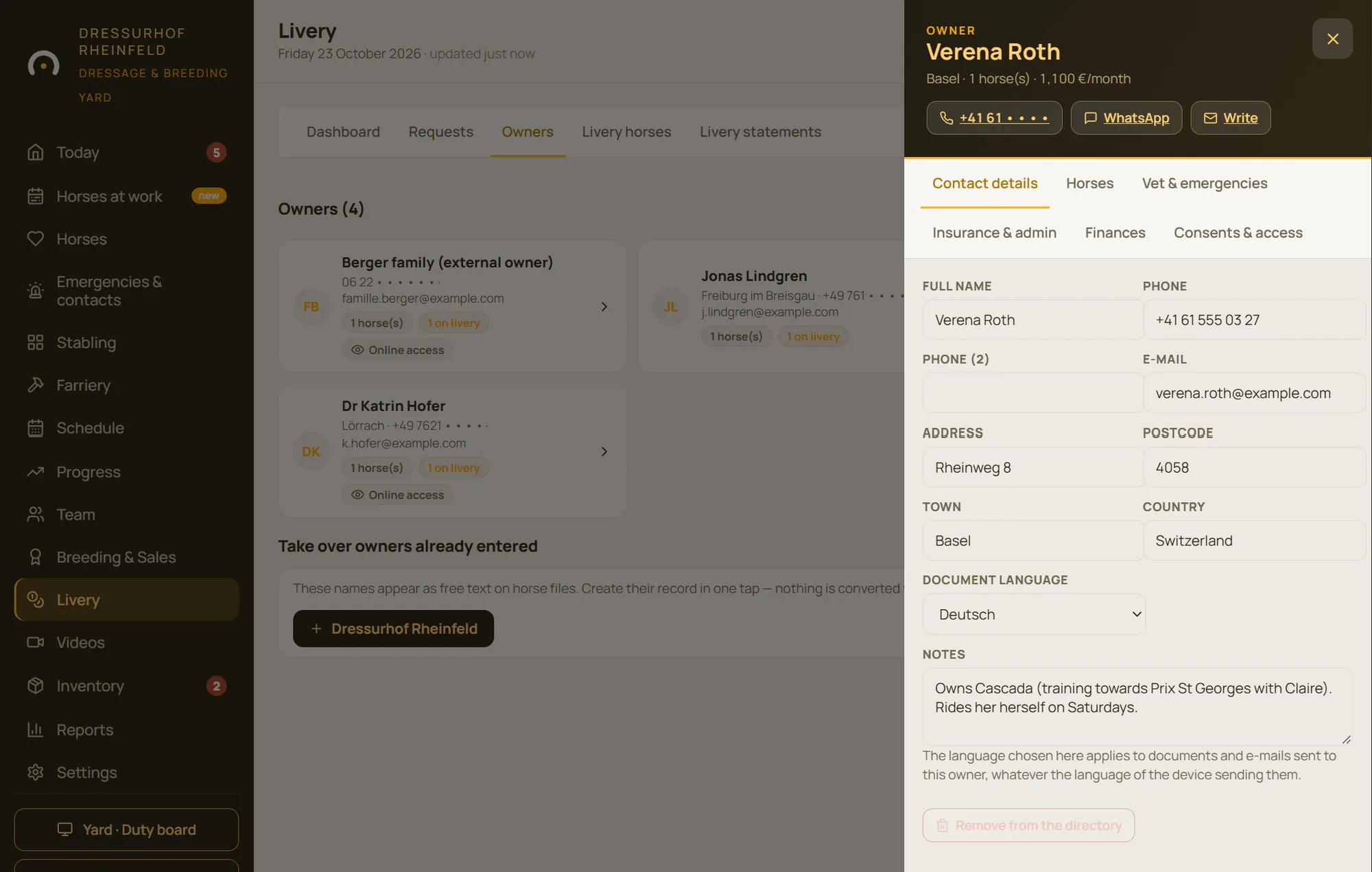
Contact details, horses, vet and emergencies, insurance and admin, finances, consents and access: the owner’s file fits on six tabs. What to do in an emergency is set down in black and white: who to contact, their vet, and how much you can spend without their approval.
The check-in and check-out record covers papers, vaccinations, proof of insurance, the signed contract and any equipment left at the yard.
The owner area: fewer phone calls, more trust
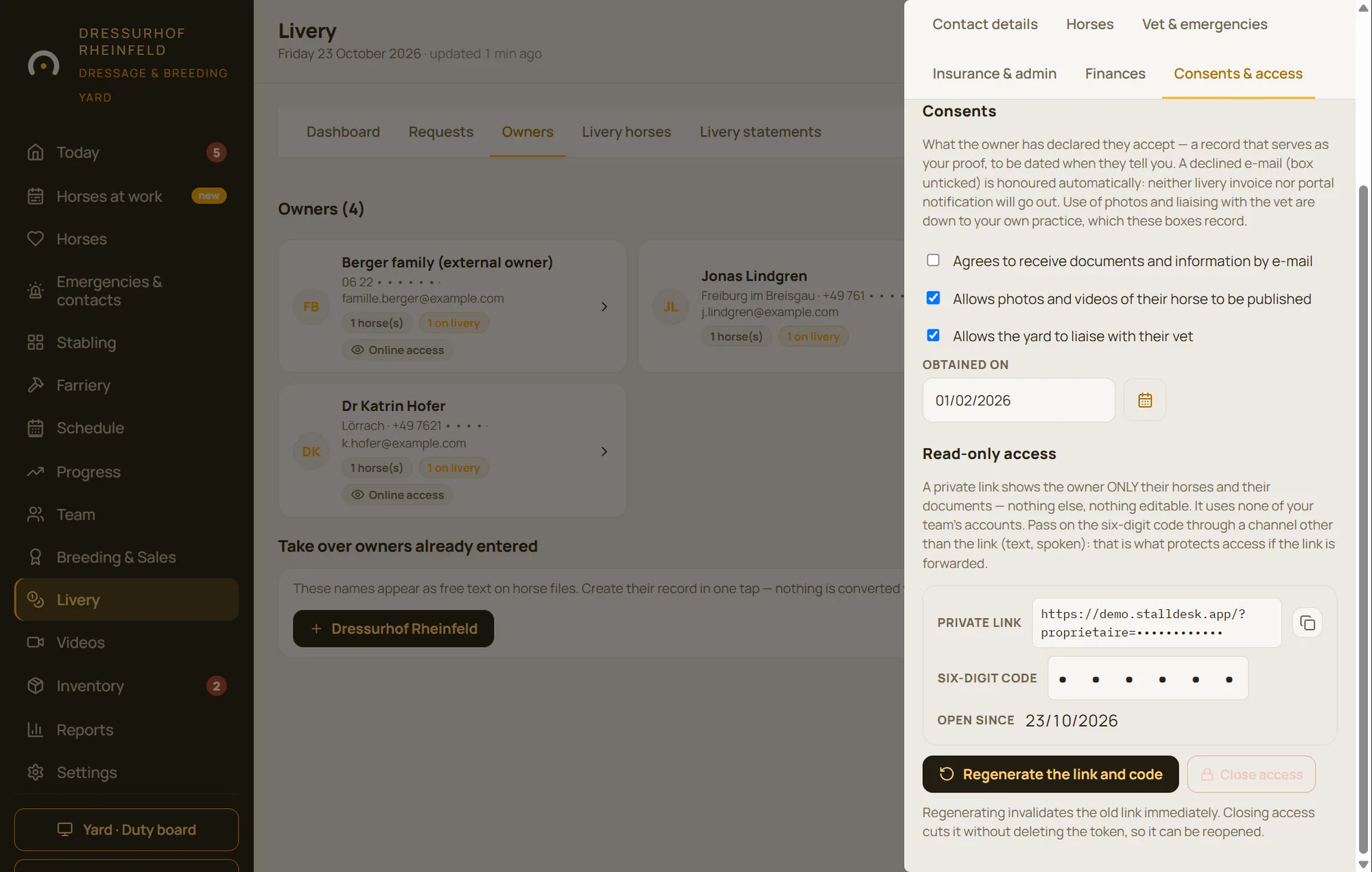
Every owner receives a private link and a code. There they find their horses, their package, upcoming vaccinations and the latest events, as well as their livery statements and the documents you publish. They only see what concerns them, and never your internal notes.
They can send a request, for turnout, an absence, a visit or a practitioner, and follow the reply. For a chargeable request, the price is shown before it is sent. They can also book a facility, such as the horse walker or the arena, on a seven-day grid.
- You accept or decline each request, giving a reason
- Notifications on the owner’s phone, with their consent
- Access can be revoked at any time, in one tap
Everything included in the Livery module
Packages and price list
Stabled livery, grass livery and your own packages; a catalogue of extras. The prices are always yours to set.
Contracts
Package, start date, automatic pro rata, discount, deposit, notice period.
Livery statements
Monthly drafts, issued in one batch, sent as PDF in the owner’s language.
Payments and reminders
Partial payments, late payments at a glance, reminders to owners.
Invoices
Invoice mode with VAT, sequential numbering and credit notes, only if you choose it.
Accounting export
A CSV file ready for your accountant.
Check-in/out record
On arrival and departure: papers, vaccinations, insurance, equipment left at the yard.
Waiting list
Applicants for a space, in order.
Bookable facilities
Horse walker, outdoor arena, indoor school: capacity, opening hours and booking slots.
Questions about livery
Does StallDesk replace my accounting software?
No. StallDesk prepares and sends livery statements, tracks payments and provides a CSV export for your accountant. The accounting itself stays in your accounting software.
Do owners need to create an account?
No. They receive a private link and a six-digit code. You can revoke this access at any time.
Can owners pay online?
Not in StallDesk: livery statements show your usual payment terms, and you record the payments you receive.
Is the Livery module included?
The Livery module is an add-on to the StallDesk core. We switch it on for your yard if you need it.
See a month of livery, from statement to payment
We show you the dashboard, how the month’s statements are issued and an owner’s area, on a demo yard.