Stable management software designed in a real yard
Rations, care, farriery, staff rota, livery and owners: StallDesk brings together on one screen what used to live in three notebooks, a whiteboard and a dozen messaging threads.
- In English, French and German
- Computer, tablet and phone
- Hosted in France
- Keeps working when the signal drops
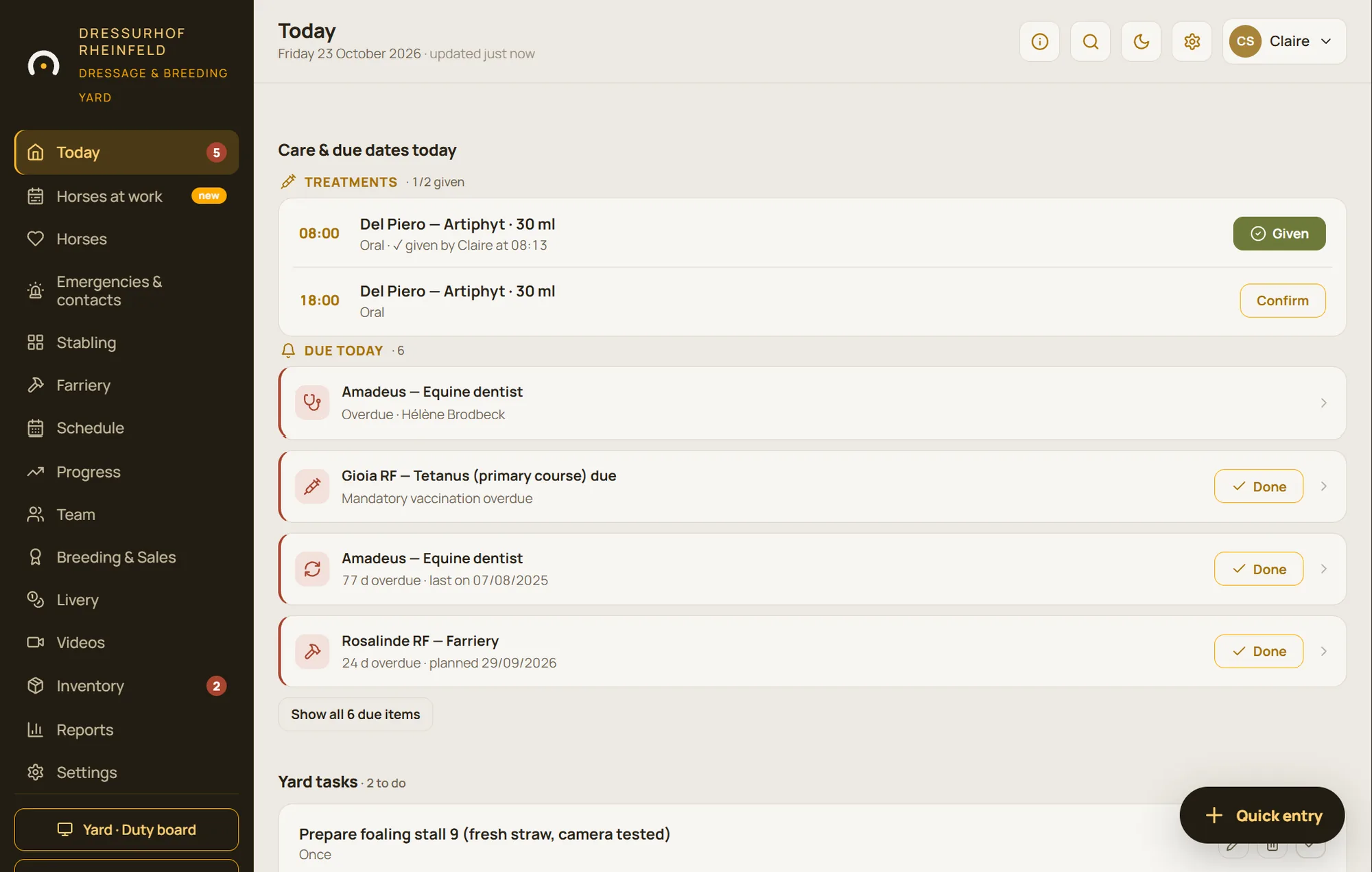
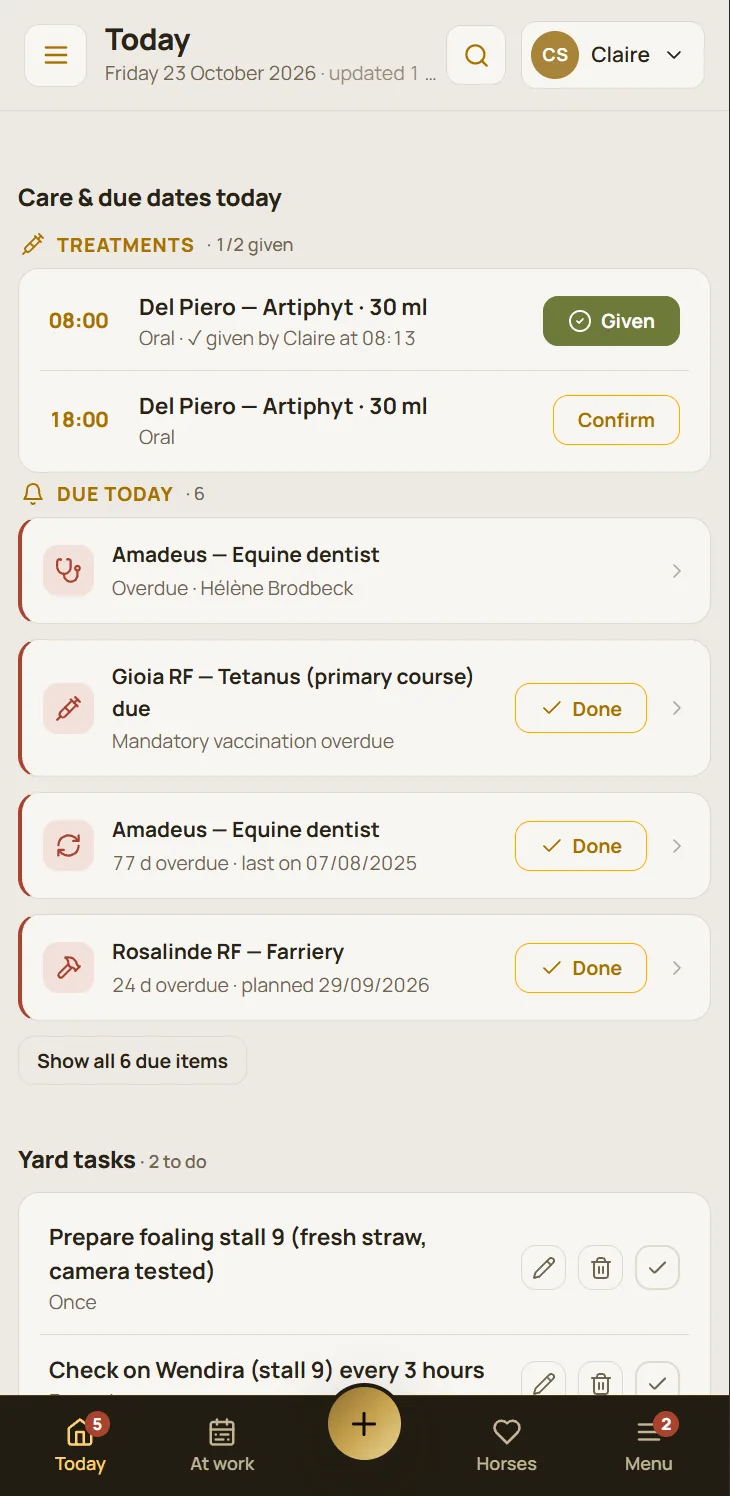
Everything that keeps a yard running
Seven areas in one app. Switch on the ones your yard needs: the interface only shows what you actually use.
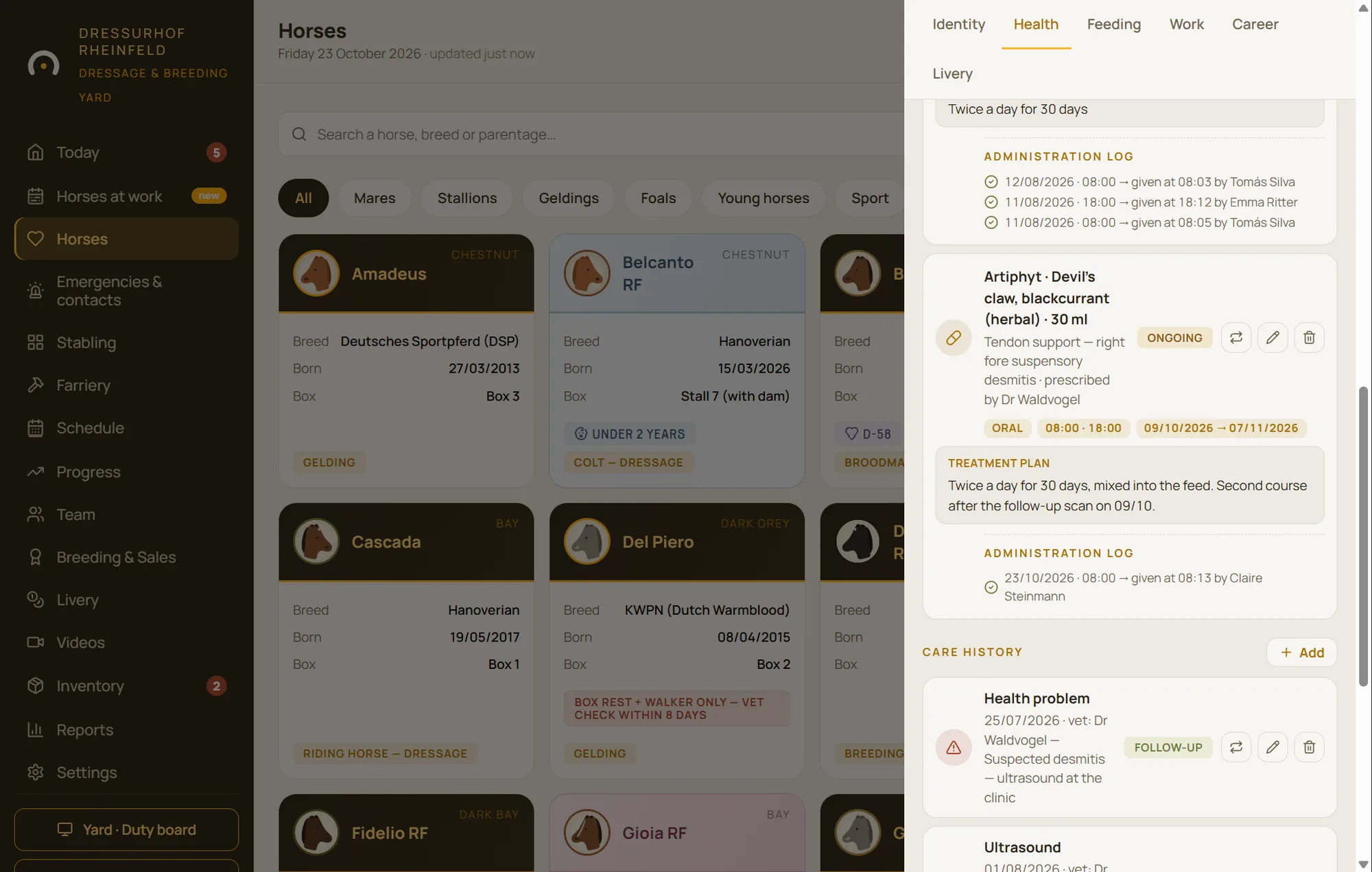
Health and care
Health records, vaccinations, worming, treatments with their schedule and sign-off, farriery, a printable emergency file.
Learn more
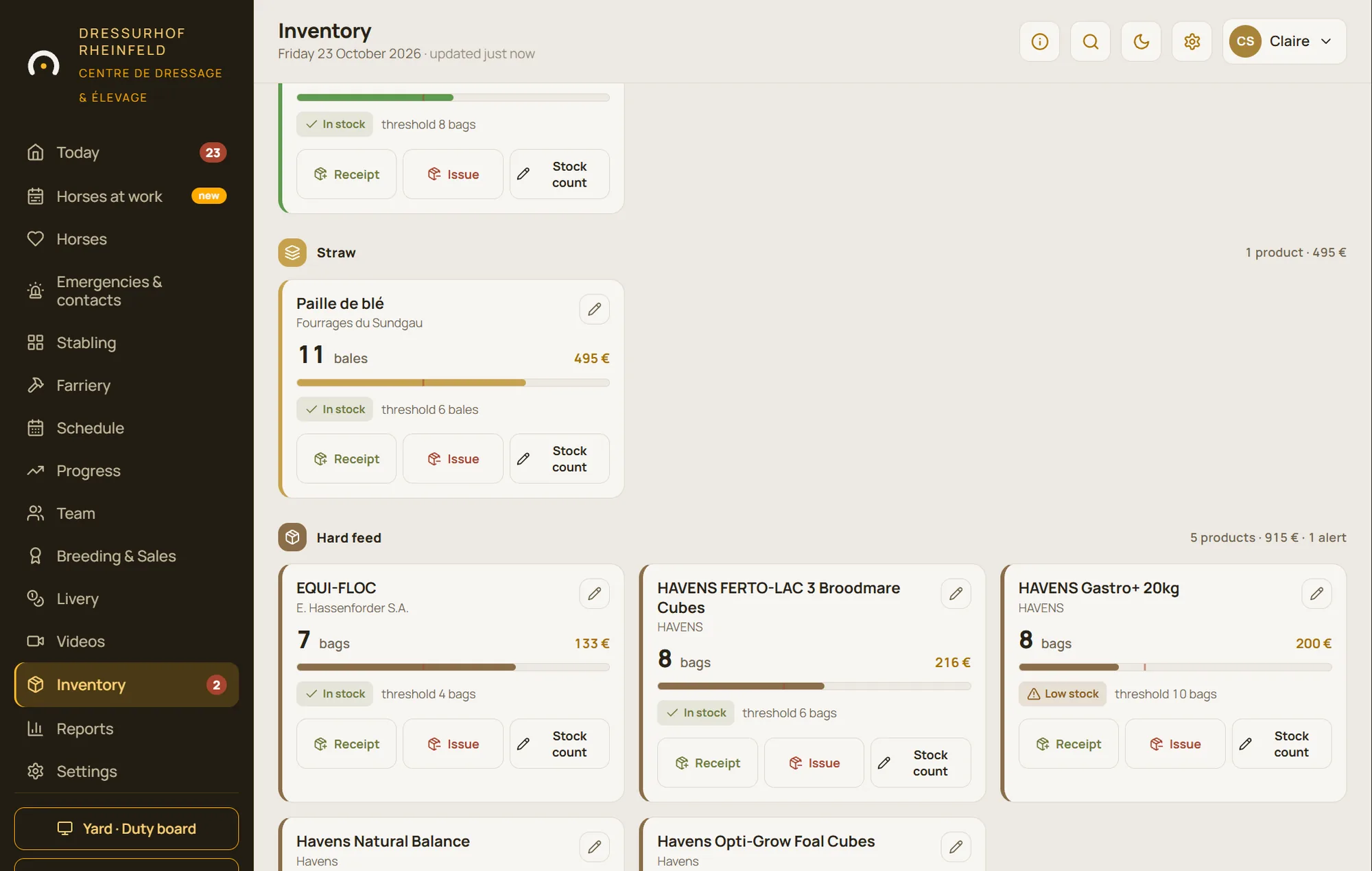
Feeding and stock
Rations per horse and per feed, feed rounds, instructions, feed stock with low-stock alerts and purchase orders.
Learn more
Scheduling and staff
Sessions, turnout, appointments, staff shifts, clock-in on a yard terminal and a daily email report.
Learn more
Training and progress
Each horse’s working week, rider feedback, workload indicators and the assistant’s analysis.
Learn more
Livery and owners
Livery horses, packages and extras, owner portal, requests, messages and shared documents.
Learn more
Breeding
Broodmares, inseminations and scans, countdown to foaling, foals, homebred stock and sales.
Learn more
Yard and paddocks
Map of the stables and paddocks, wall screens for the aisle, weather warnings, yard cameras.
Learn more
A day on the yard, hour by hour
StallDesk follows your horses’ routine, not the other way round. Every moment of the day has its own screen, designed for the person living it, often with gloves on.
05:30
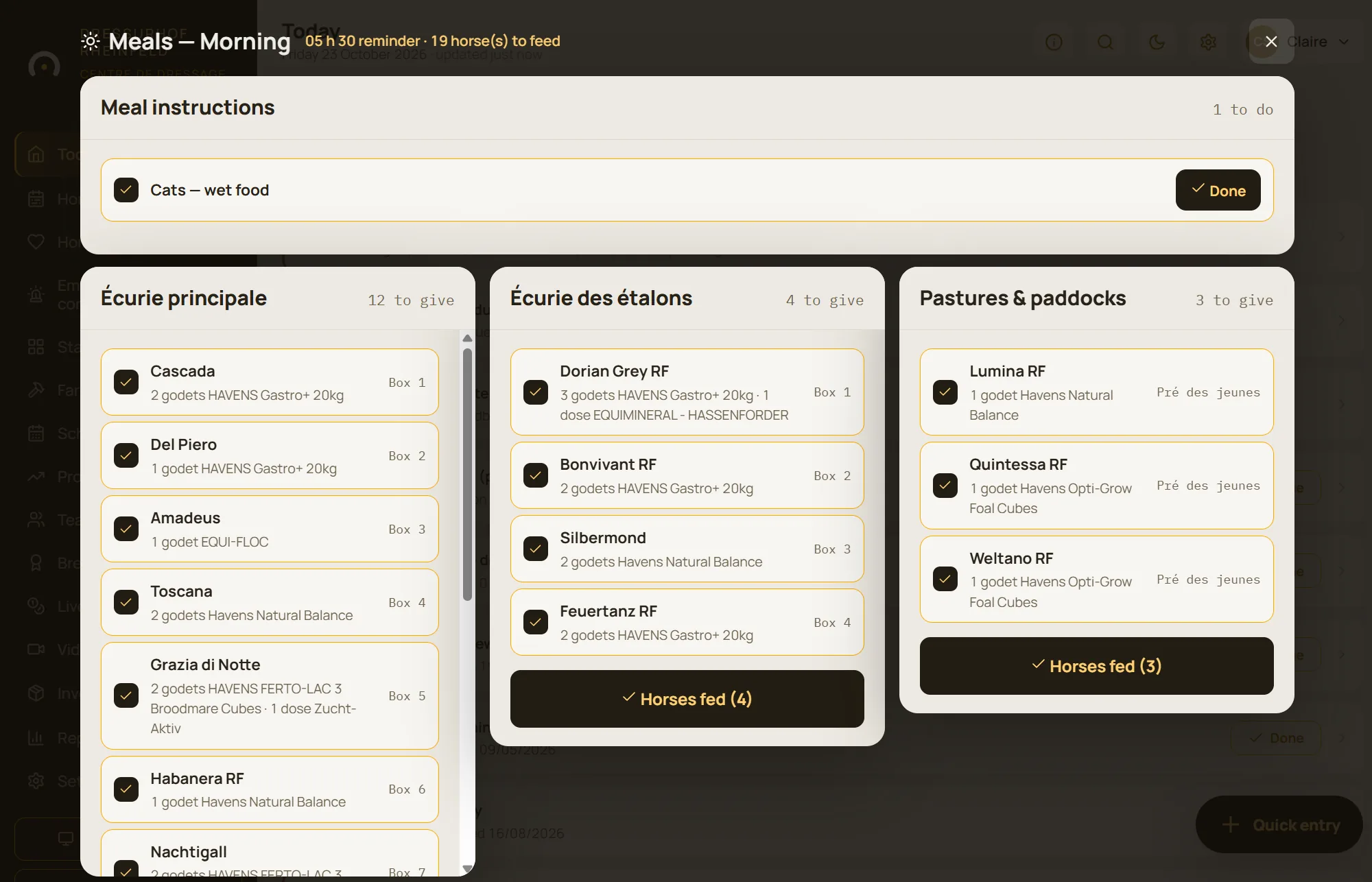
The morning feed, stable by stable
At feed time, the feed round opens by itself: each stable block, each horse and its exact ration. One tap ticks a horse off as fed, “Feed all” signs off a whole feed, and the feed instructions stay at the top of the list.
07:00
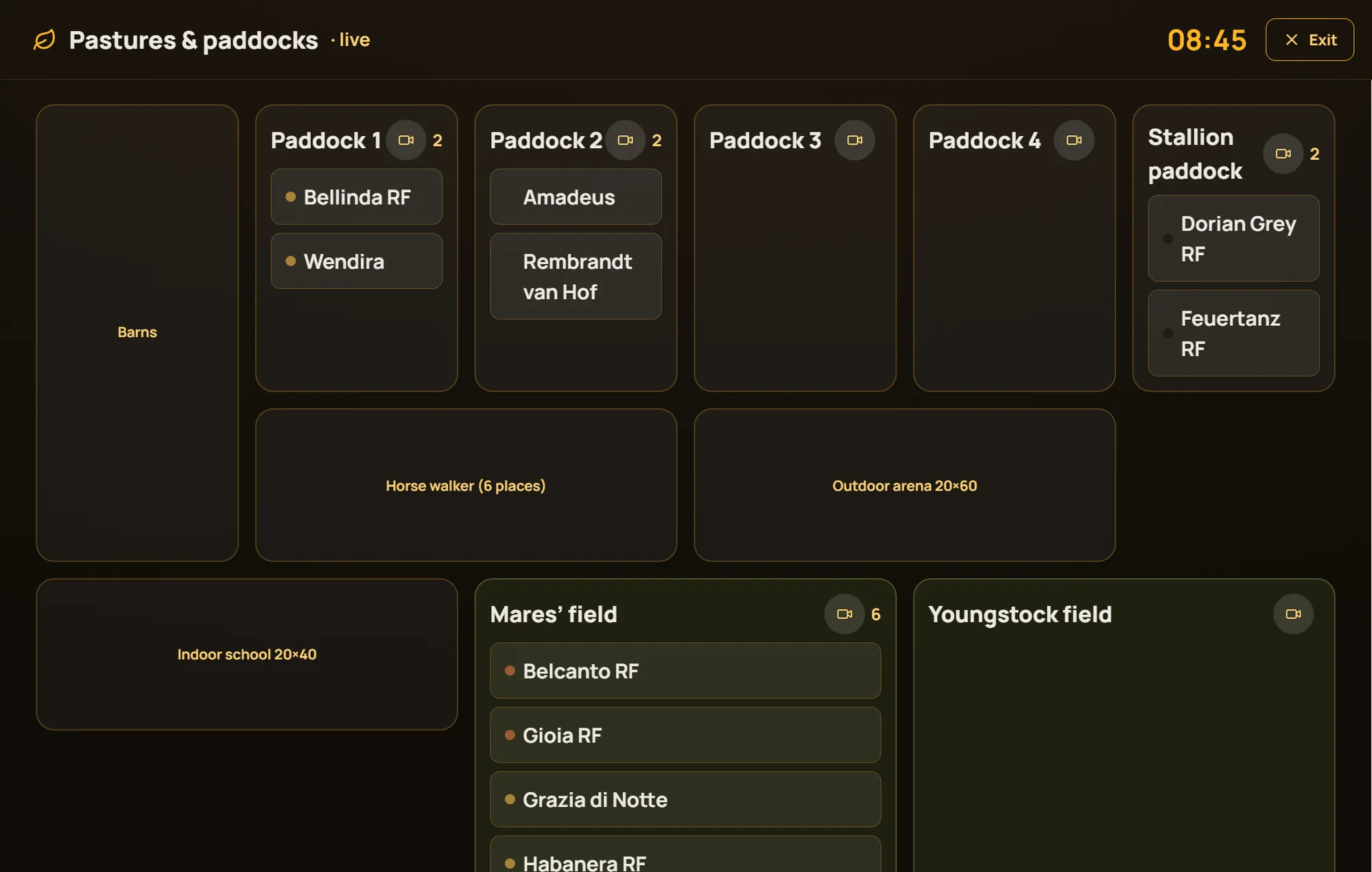
Who goes out, who stays in
Shown on a tablet in the aisle, the “Pastures & paddocks” screen tells the whole team where each horse is going this morning. A horse sent away to livery elsewhere drops off the lists by itself.
08:30
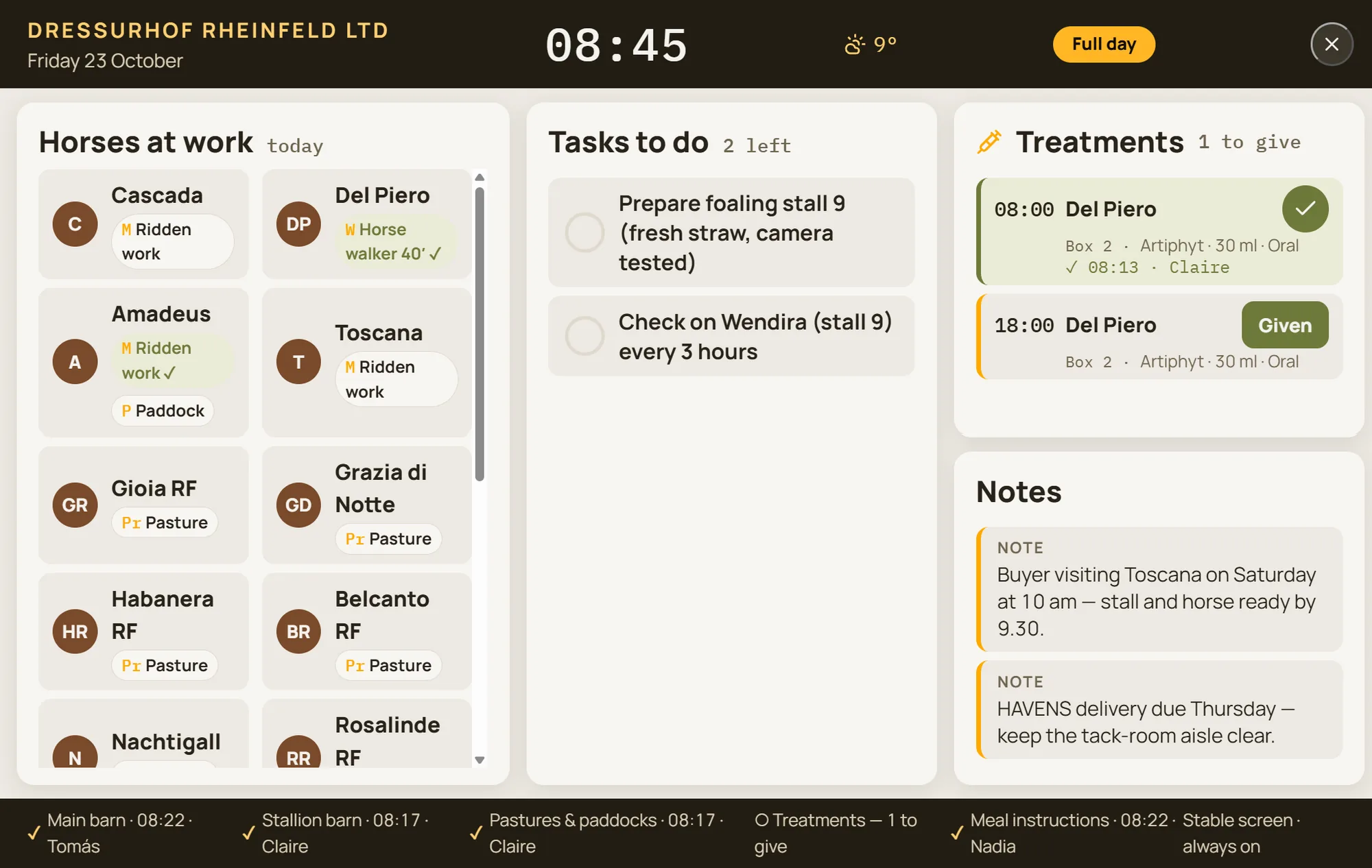
Treatments, without wondering who gave them
Today’s treatments appear with their times and schedule: every day, or only on Tuesdays and Fridays. Every dose is signed off, so you know who gave what, and when.
10:00
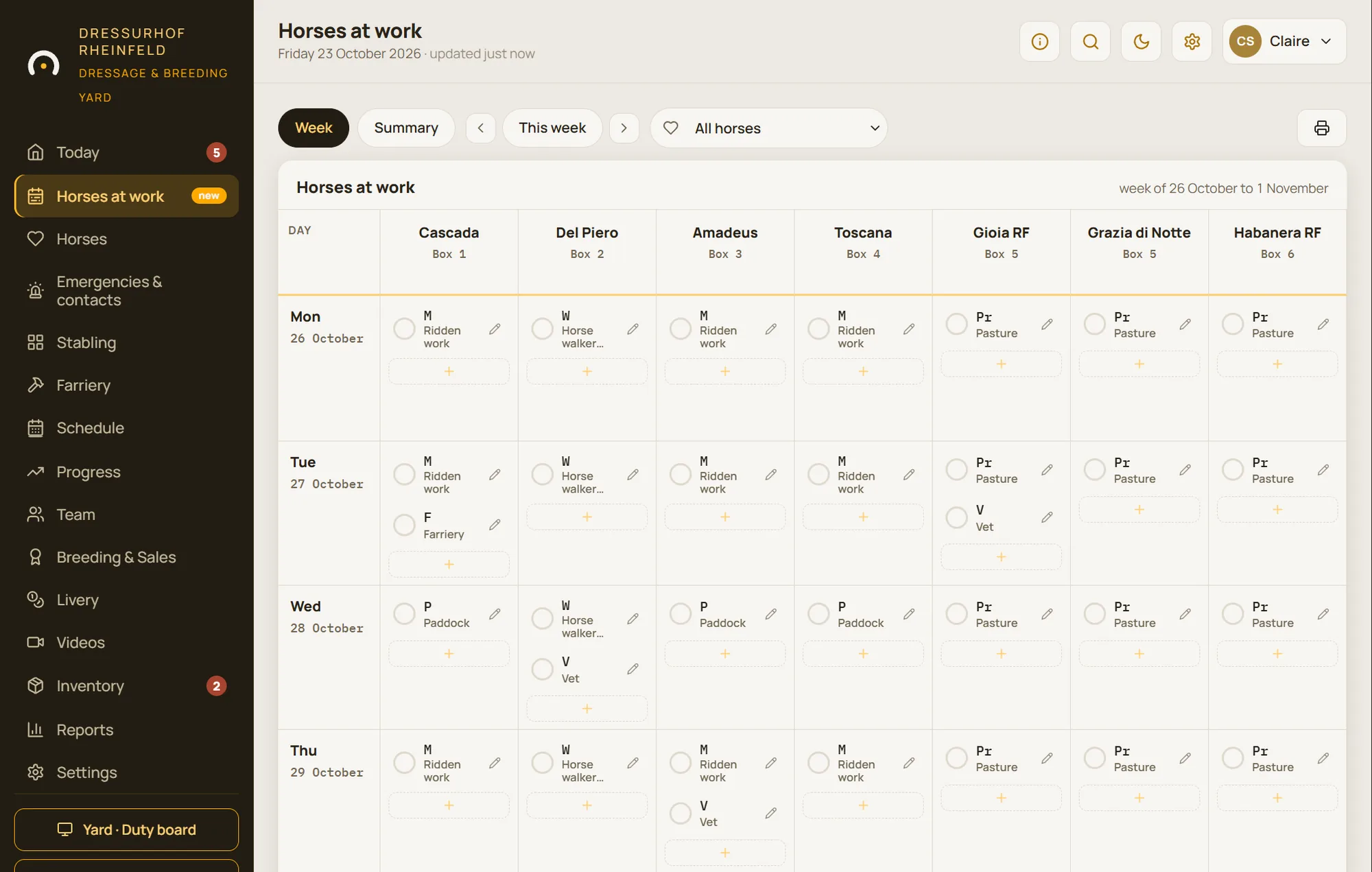
The horses’ work
Each horse’s week fits on one grid: ridden work, lungeing, horse walker, paddock, rest. After the session, the rider notes how it felt with a few ready-made phrases, or by voice.
14:00
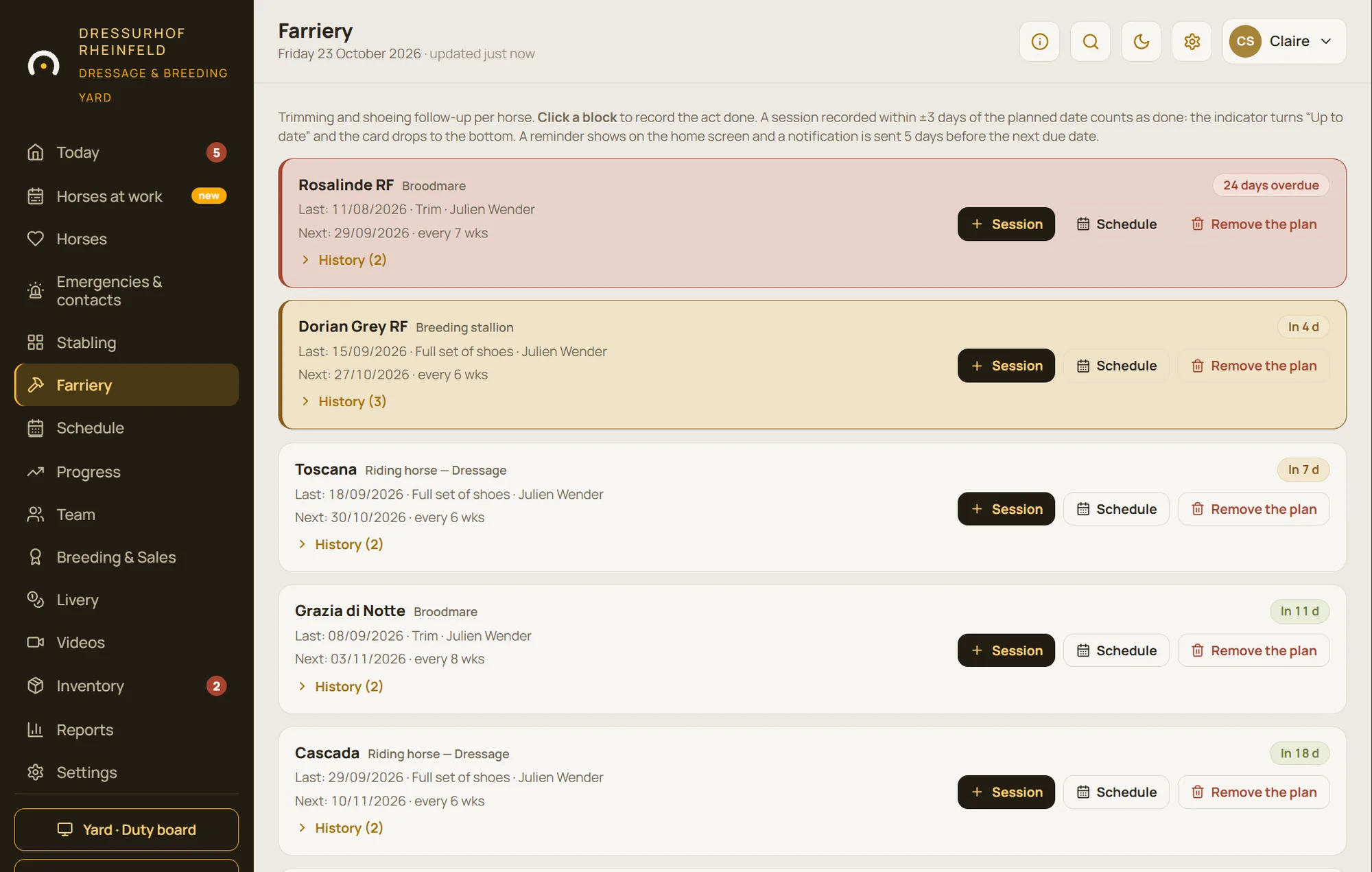
Farrier, vet, dentist
Trimming, worming and vaccination due dates come up on the day’s screen by themselves. The week’s appointments are in the schedule, with the practitioners’ contact details a thumb-tap away.
17:00
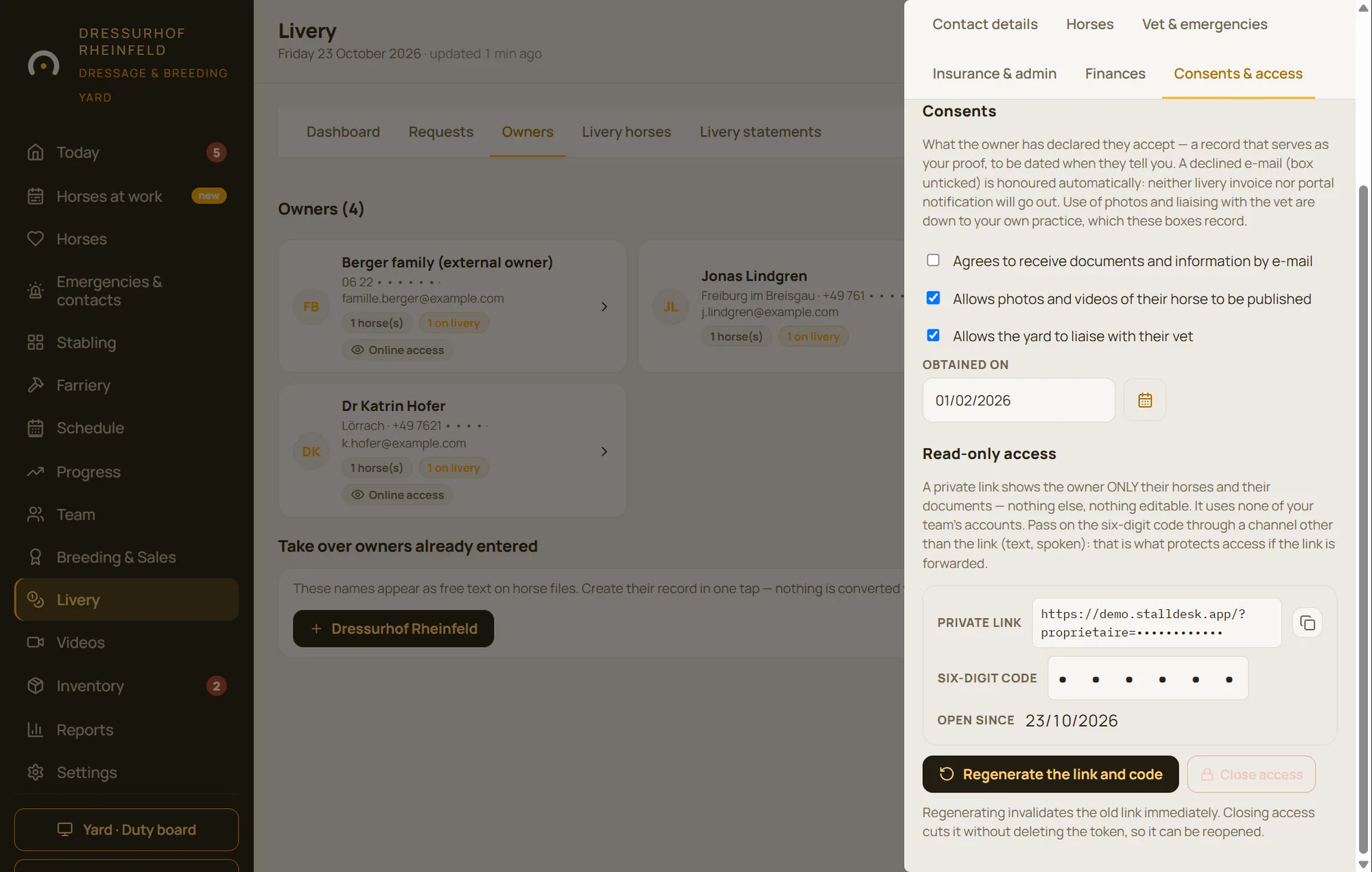
Owners are kept in the loop
Every owner has a private area: they can see their horse and its next vaccinations, send a turnout or visit request, book the horse walker and find their livery statements. Fewer phone calls while you’re working.
19:00
The day wraps itself up
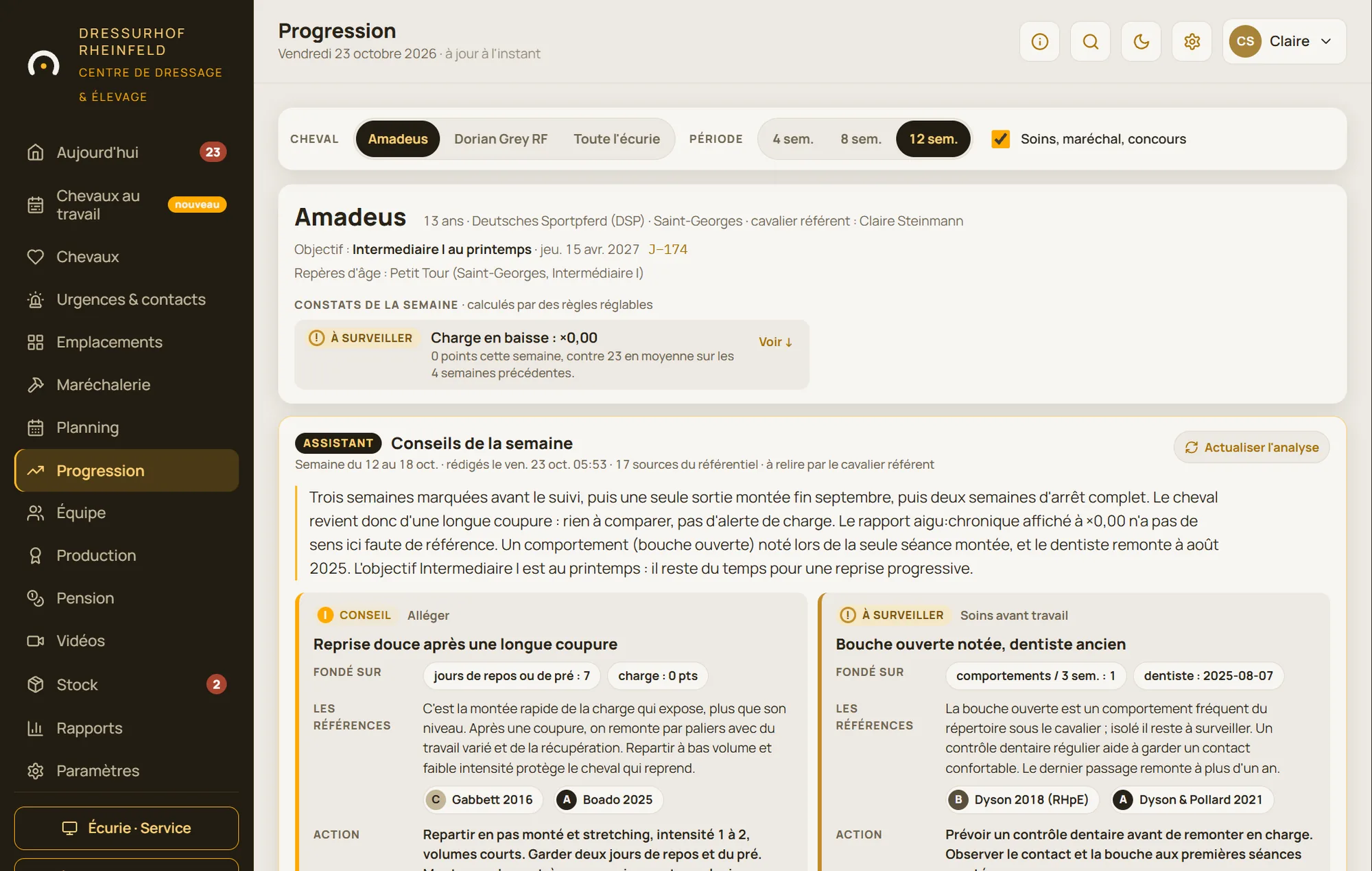
The daily report goes out by email at the time you choose, for anyone who wasn’t there. And every Sunday, the assistant writes an analysis of the working week for each horse being tracked.
A screen for everyone, one version of the truth
The office, the stable aisle, the arena and the owners all look at the same data, each seeing what concerns them.
In the office
Management sees everything at a glance
Today’s due dates, horses to keep an eye on, low stock, owner requests: the “Today” screen tells you what needs your attention, and nothing else.
In the aisle
The team knows what to do without searching
Everyone logs in with their own personal code and sees first what they still have to do. Wall screens show the day’s duties and the paddocks in large type, readable from a distance.
In the arena
Riders take notes, the assistant analyses
Session feedback takes a few seconds to enter, by finger or by voice. Workload and fitness trends can be read week after week.
From a distance
Owners follow their horse
A private area, opened with a link and a code: their horses, the latest events, their documents, their requests and facility bookings. Nothing more.
StallDesk at a glance
Like a horse’s passport: the essentials, straight to the point.
| Type | Installable web app (PWA): it opens in the browser and sits on the home screen, with no app store involved |
| Devices | Computer, tablet (iPad included) and phone, iPhone or Android |
| Languages | English, French and German; each device chooses its own |
| Offline | Today’s data stays available and entries are sent as soon as the connection returns |
| Hosting | OVHcloud servers in France; backed up every night, encrypted and copied off the server |
| Access | A personal code for each team member, access levels and a log of who did what |
| Theme | Light or dark, for the yard screen as well as for foaling nights |
| Modules | Switched on to suit your yard, with no reinstalling |
| Birthplace | Haras du Steinberg, in the Sundgau in southern Alsace |
The artificial intelligence features (reading a passport or a prescription, weekly analysis) are optional and can be switched off for your yard.
Born at Haras du Steinberg
StallDesk wasn’t dreamt up in a meeting room. It was born at Haras du Steinberg, in the Sundgau in southern Alsace, to replace the notebooks, whiteboards and lost messages of a working stud and livery yard.
Every screen was designed for dawn, cold and gloves, then put to the test on the pilot yard before being offered to anyone else. What wasn’t useful was taken out; what was missing was added.
The information follows the horse, not the notebook.
StallDesk’s principle, since the very first screen
Frequently asked questions
How much does StallDesk cost?
The price depends on the size of your yard and the modules you switch on. We work it out with you after the demo, with no obligation. The demo is free.
Do I need to install anything?
No. StallDesk opens in the browser on any computer, tablet or phone. On a yard tablet, it can be added to the home screen in two taps and then opens like an app.
What if the signal doesn’t reach the far end of the yard?
Today’s data stays available on the device and entries are held in a queue. They are sent automatically as soon as the connection returns.
Can it be used in French or German?
Yes. The whole interface is available in English, French and German, and each device chooses its own language: a German-speaking rider and a French-speaking groom work on the same data, each in their own language.
How do we get started?
After the demo, we open your yard and set it up with you: stable blocks and stables, team, horses. A horse’s record can be pre-filled from a simple photo of its passport.
See StallDesk running a complete yard
Thirty minutes by video call: we walk through a whole day with a 22-horse demo yard, then look together at what StallDesk would change for you.