Each horse’s training week, and what the rider makes of it
Ridden work, lungeing, horse walker, paddock, rest: StallDesk shows at a glance how each horse is being worked. The rider notes how it felt after the session, and progress can be read week after week.
What you gain
Safety
Work planned on facts
The grid shows the horse that hasn’t worked for three days or is doing intense session after intense session. Observations flag what needs attention.
Time
Session feedback in a few seconds
Ready-made phrases or dictation, as you get off. And every Sunday, the week’s analysis is already written.
Owners
Proof of the work done
The weekly summary prints for the owner or the trainer: what was done, when, and by whom.
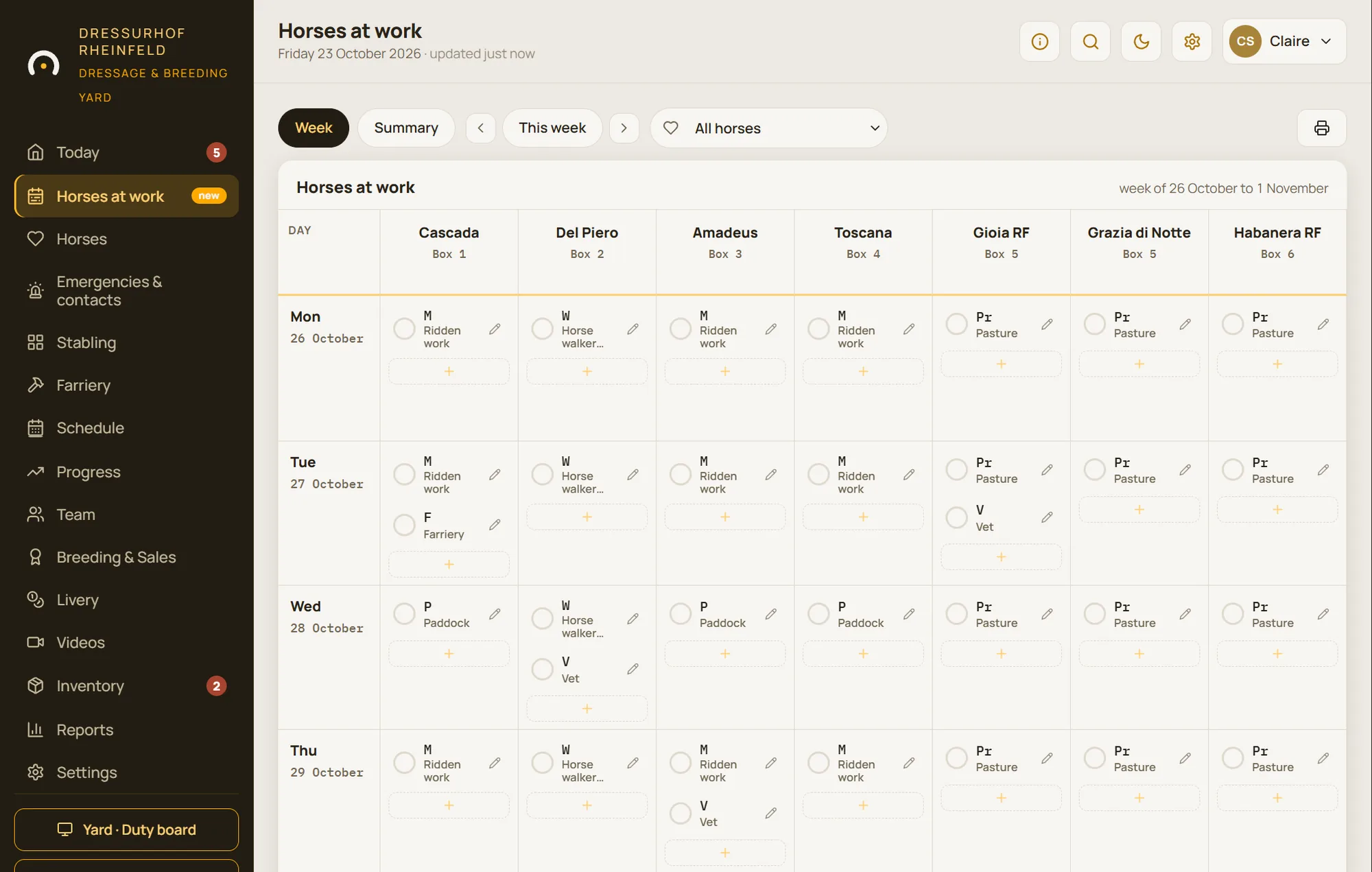
“Horses at work”: one grid for the whole week
Each column is a horse, each row a day. Sessions are entered with their work code, and one tap signs off what has been done. You can spot straight away a horse that hasn’t been worked for three days, or another doing one intense session after another.
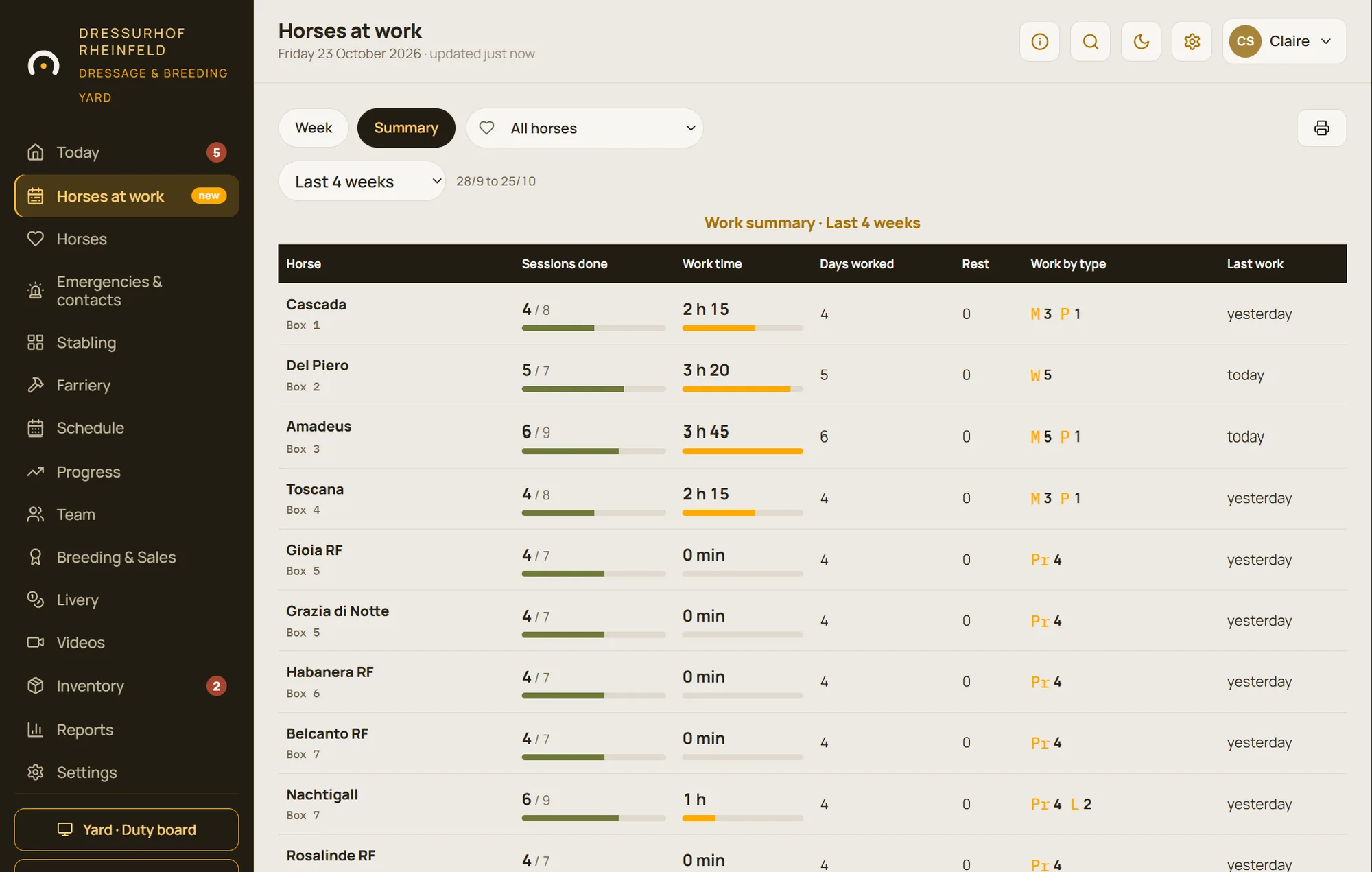
The weekly summary can be printed for the owner or the trainer.
- Ridden work, schooling, stretching, lungeing, long-reining, horse walker, hacking, polework, paddock, pasture…
- The current week or previous ones, one horse or the whole yard
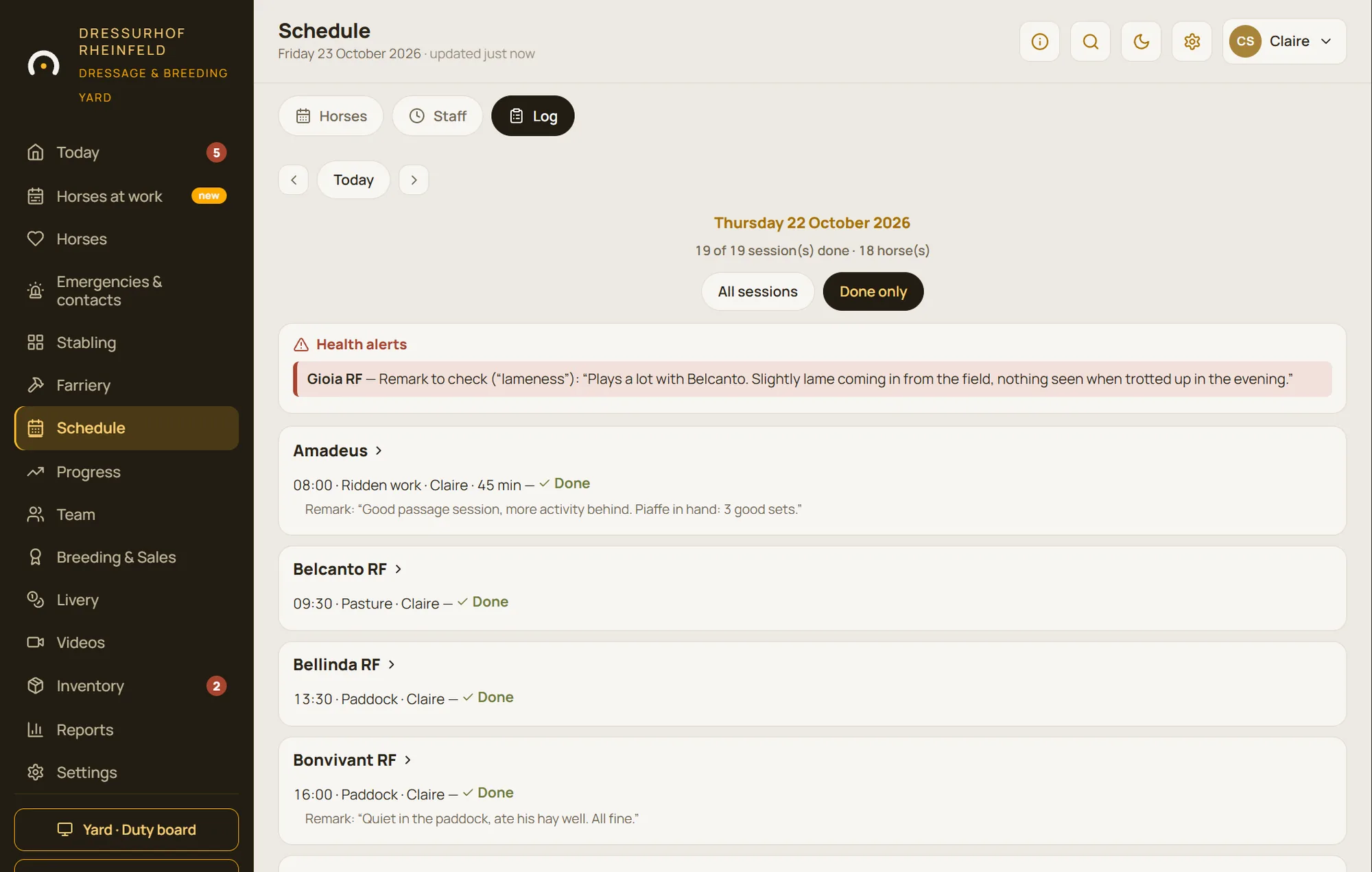
Rider feedback, in a few seconds
After the session, the rider picks a few ready-made phrases, types freely or dictates how it felt. The feedback appears under the session in the schedule and is collected in the log.
No never-ending forms: feedback is given while dismounting, phone in hand.
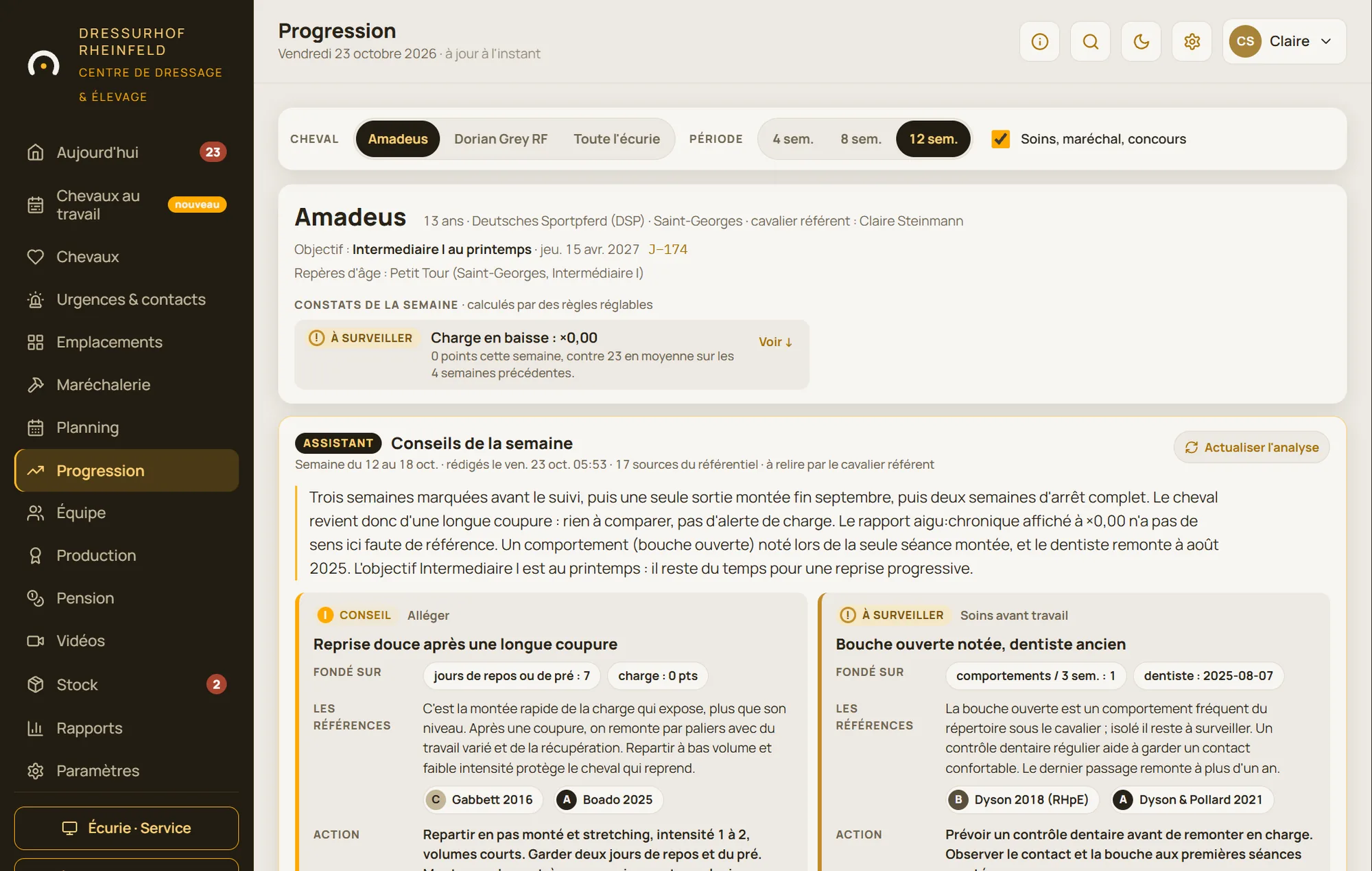
Progress: indicators, then advice every Sunday
For each horse being tracked, the Progress module calculates workload, the ratio of recent to usual workload, fitness, monotony and position on the training scale. Adjustable observations flag anything that deserves attention, for example a workload that’s dropping after a break.
Every Sunday, the assistant writes the week’s analysis: what it observed, what it bases this on, and what it suggests. The rider or manager applies it to the schedule, postpones it or ignores it. The analysis can be translated on request into the device’s language.
- A weekly report for riders, in English, French or German
- The assistant talks about work and workload, never about veterinary diagnosis
- Separate options: the indicators can be switched on without the assistant
Everything included in training records
Horses at work
Each horse’s week on a grid, with a key to the types of work.
Printable summary
The week for one horse or the whole yard, to print or share.
Session feedback
Ready-made phrases, free text or dictation.
Log
All the feedback under each session, gathered in the schedule.
Workload indicators
Workload, acute:chronic ratio, fitness, monotony, training scale.
Adjustable observations
Alert thresholds adapt to the way you work.
Sunday analysis
The assistant writes up its observations and advice, with what they are based on.
Weekly report
An email to riders, in StallDesk’s colours, in their own language.
Full tracking
Indicators from the date of your choice, over four, eight or twelve weeks.
Questions about training and progress
Do I need the Progress module to track work?
No. The “Horses at work” grid, the schedule and session feedback are all part of the software. Progress adds workload indicators, observations and, if you switch it on, the assistant’s analysis.
Can the assistant get it wrong?
Yes, like any advice: that’s why each suggestion shows what it’s based on, and nothing is applied without your approval. The assistant sticks to work and workload; it never makes a diagnosis.
Is riders’ feedback sent to the assistant?
Reading free text and the Sunday analysis rely on artificial intelligence: they only happen if the corresponding options are switched on for your yard, and riders are informed. The ready-made phrases and the schedule work without them.
See the analysis of a dressage horse
In the demo: a Prix St Georges schoolmaster, its working weeks, its observations and the assistant’s advice.