Every horse’s feed chart, followed at every feed, without a whiteboard
Morning, midday, coming in from the field, evening: StallDesk knows what each horse eats and shows it to whoever is feeding, stable block by stable block, in stable order. The stock keeps pace, and warns you before you run out of hay.
What you gain
Safety
Every horse gets its ration
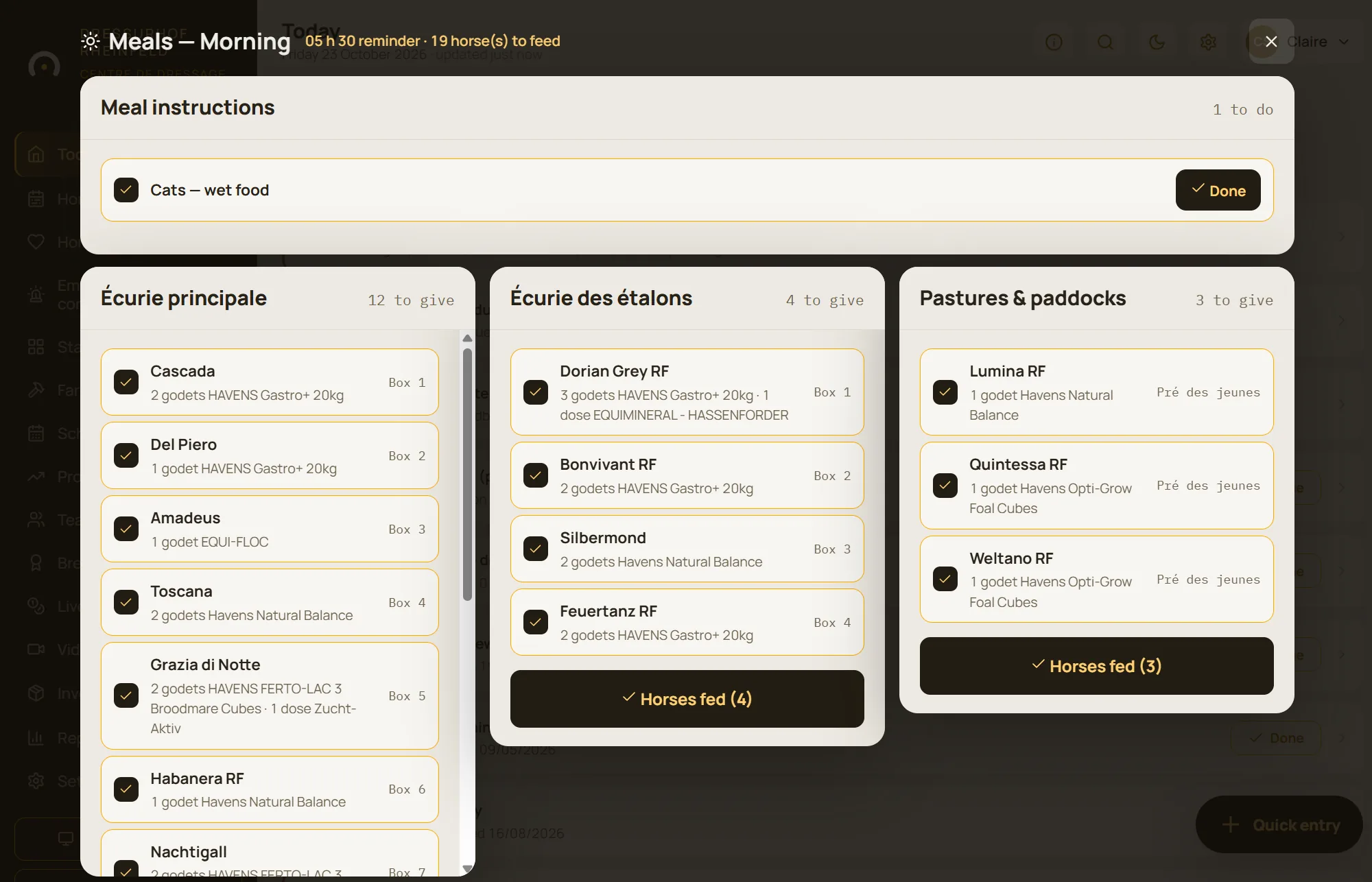
Even with a stand-in: the feed round shows the exact ration, the instructions and the treatments to give with the feed, and you know who fed.
Money
Neither shortages nor overstock
Alert thresholds, estimated days of stock, stock value and spending over six months: the hay order goes out before you run short.
Time
The feed round that opens by itself
At feed time, on the tablet, in stable order. “Feed all” signs off a whole feed, and the purchase order goes out by email.
Each horse’s feeding plan
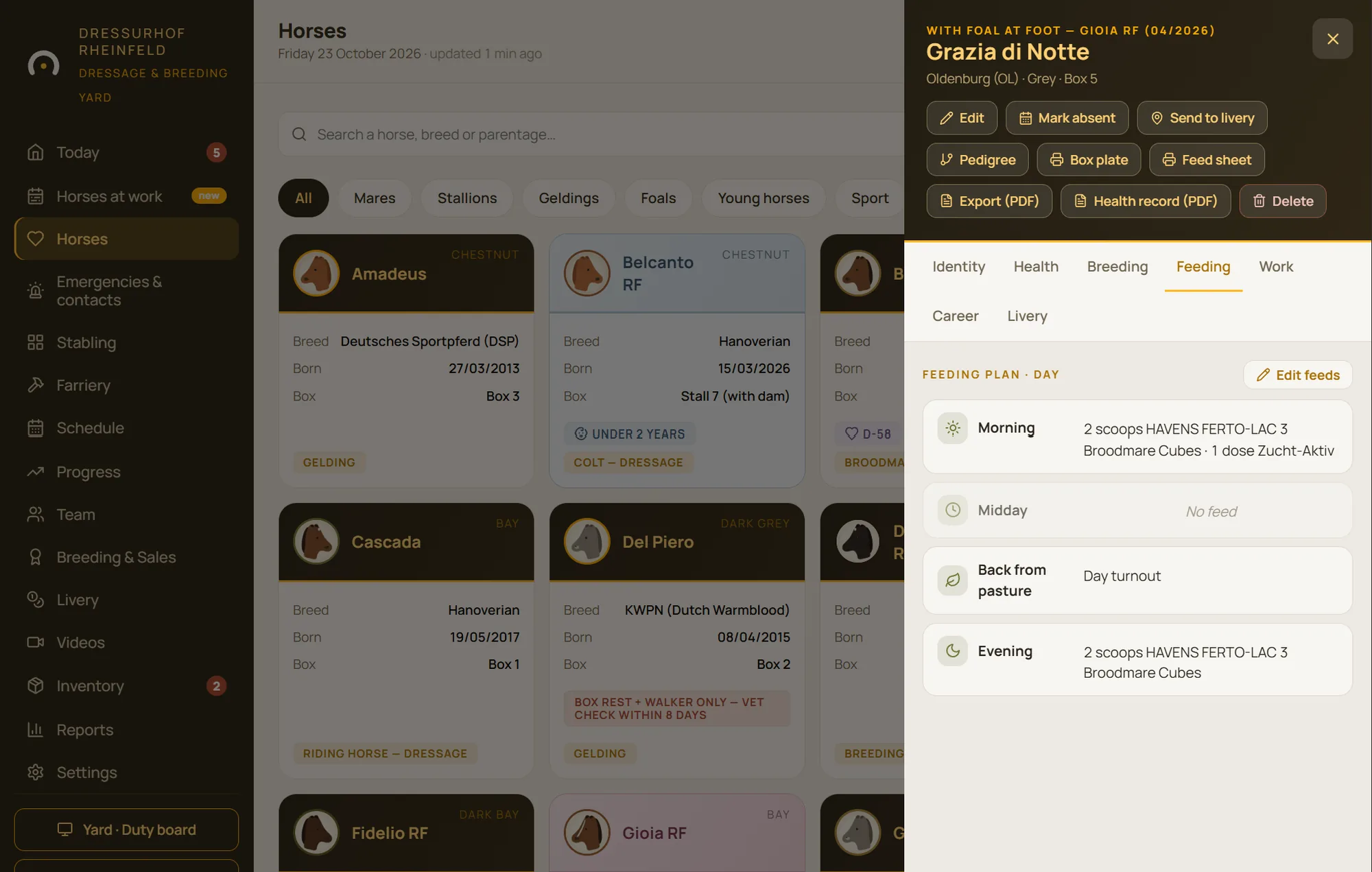
On the horse’s record, the feeding tab sets out its day: what it gets at the morning, midday, back-from-pasture and evening feeds, with quantities and supplements. Any change is visible to the whole team straight away.
Reports flag horses with no ration set, so nobody is forgotten when a new livery horse arrives.
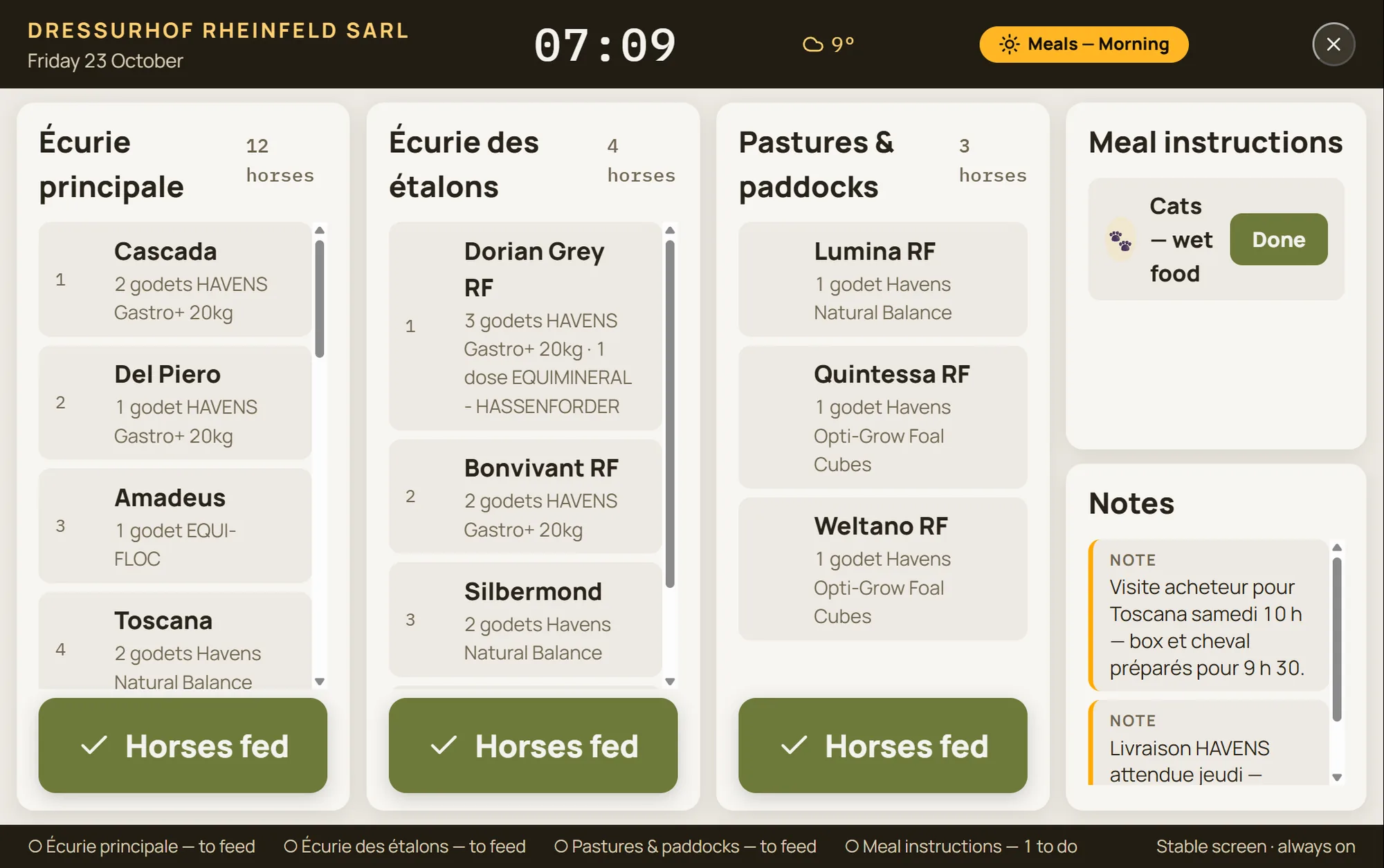
A feed round that opens at feed time
At feed time, the feed round opens by itself on the yard device. Each horse appears with its ration and its stable; one tap marks it as fed, and “Feed all” signs off a whole feed.
Feed instructions stay at the top of the list, an instruction can apply to a single feed, and treatments to be given with the ration appear at the right moment. A horse that is away, or at livery elsewhere, drops off the list by itself.
- Four feed times: morning, midday, back from pasture, evening
- You know who fed, and when
- Instructions read aloud, even with no signal
Stock that warns you before you run out
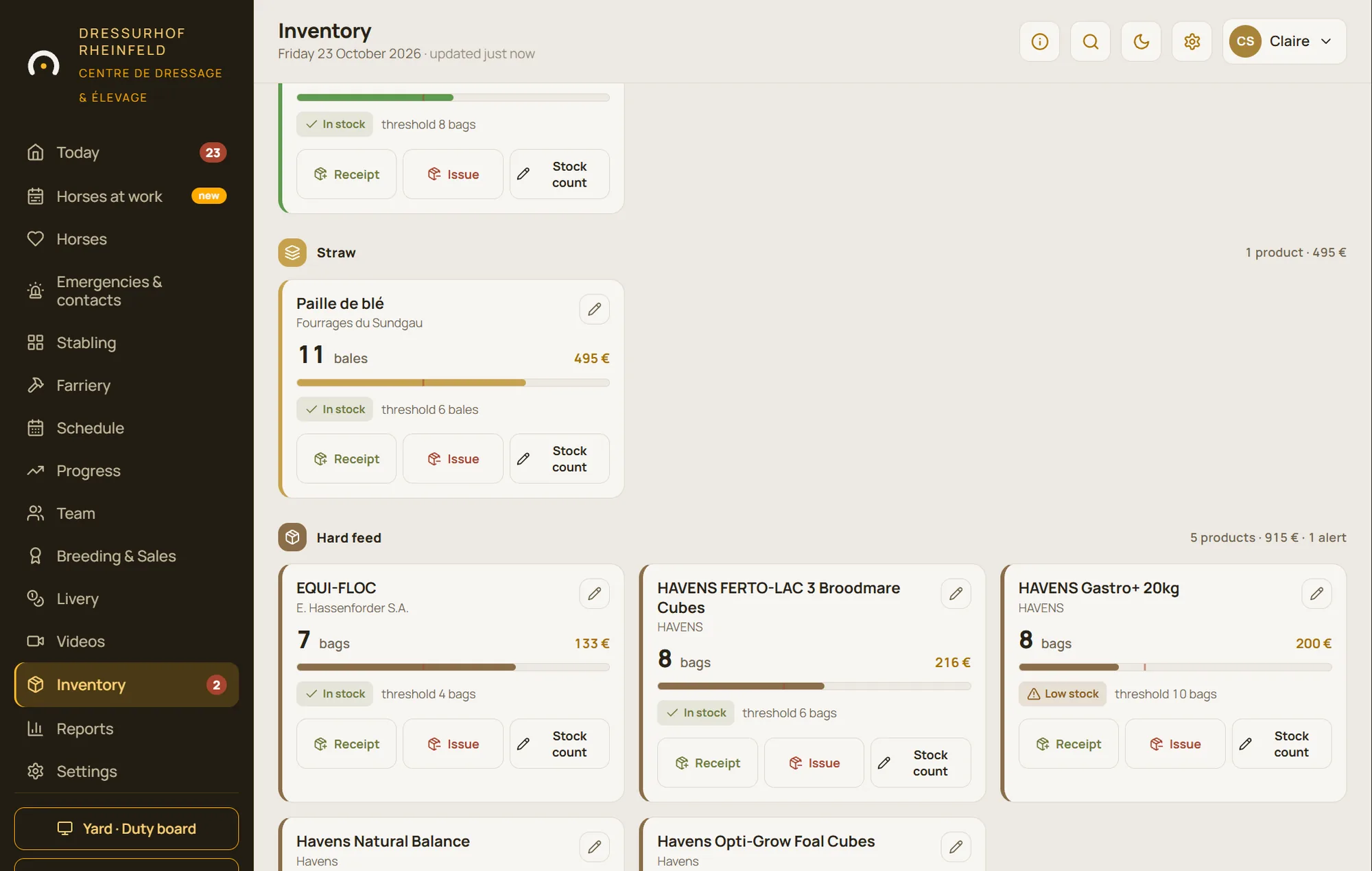
Hay, alfalfa, straw, grain, supplements, shavings: every product has its own alert threshold. When the stock drops below it, a red badge lights up in the menu and the product moves to the top of the list.
Deliveries and usage are recorded in seconds. The purchase order is prepared in StallDesk and emailed to the supplier. The statistics show the value of your stock, spending over the last six months and how long each product is expected to last.
- Ready-made categories, plus your own
- Product analysis from a photo of its label, as an option
- PDF export of the stock and of purchase orders
Everything included in feeding and stock
Feeding plan
Each horse’s ration, feed by feed, on its record.
Today’s feeds
A view for each feed time, horse by horse, signed off one by one or with “Feed all”.
Feed round
Opens at feed time, sorted by stable block and by stable.
Instructions
Today’s instructions and care for the yard animals, editable on the spot, for a single feed if needed.
Treatments with the ration
Doses to be given with a feed appear in the feed round.
Alert thresholds
A badge in the menu as soon as a product falls below its threshold.
Stock movements
Deliveries and usage, with each product’s history.
Purchase order
Prepared in the app, emailed to the supplier, exportable as PDF.
Costs and days of stock
Stock value, spending over six months, consumption cost and estimated days remaining.
Questions about feeding
Can we manage several stable blocks or buildings?
Yes. The feed round is sorted by stable block, then in stable order, and a horse out in the field appears in the area where it is.
Does the team have to tick off every horse?
They can, to keep a record of every feed given, or they can sign off a whole feed with “Feed all”. Either way, you know who fed and when.
Does the supplier receive orders automatically?
No: the purchase order is prepared in StallDesk and you send it by email in one tap. You stay in control of what goes out.
See a complete feed round
Two stable blocks, fields and nineteen horses to feed with commercial feeds: the demo starts with the morning feed.