Your stable yard on a map, and the day’s duties on the wall
Stables, aisles, fields, paddocks, horse walker, arena: StallDesk maps your yard exactly as it is. Everyone knows where every horse is, and a tablet in the aisle shows the day’s duties to the whole team.
What you gain
Organisation
Everyone knows where every horse is
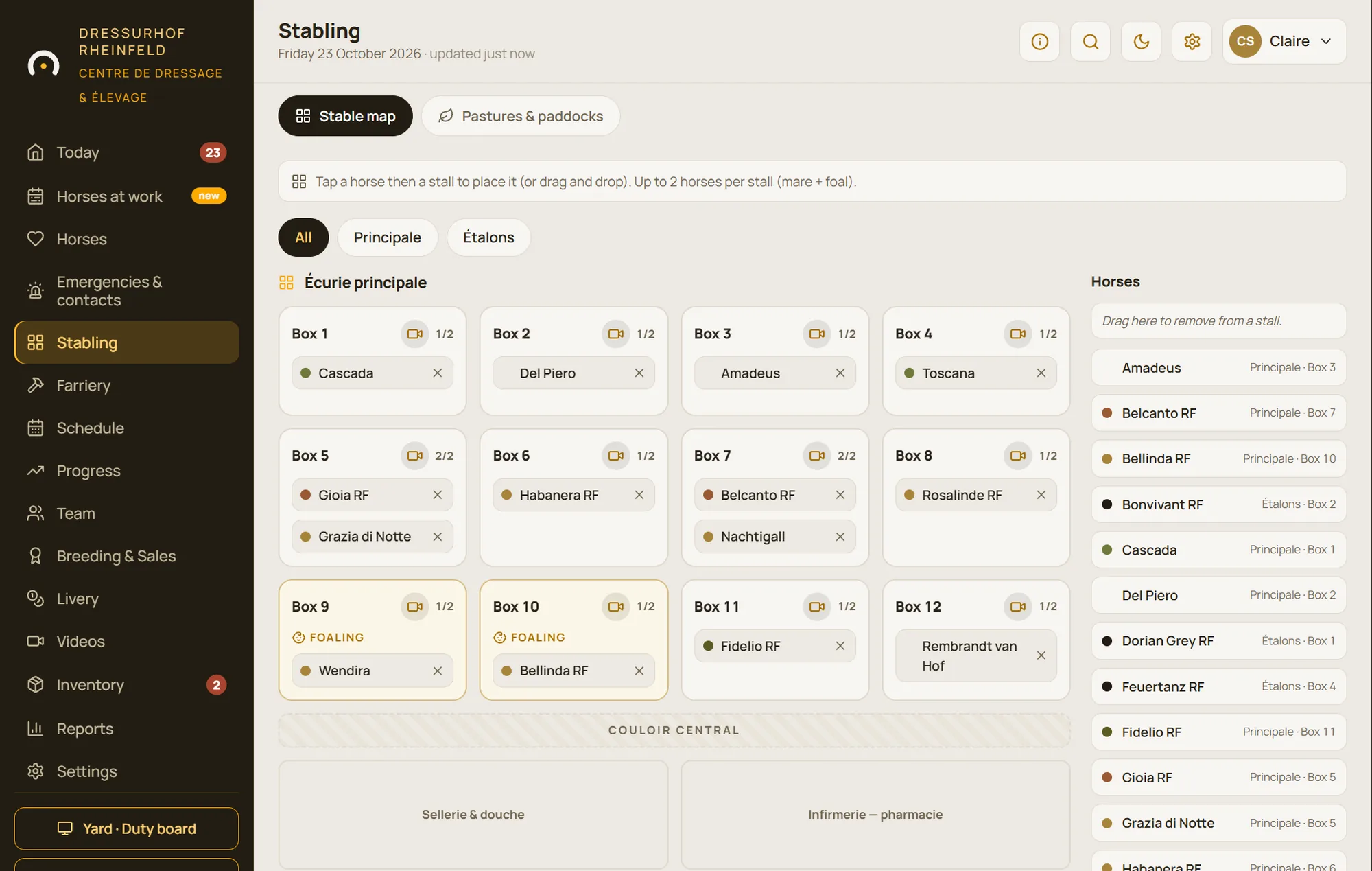
The map shows every box and who’s in it, fields and paddocks follow the day’s turnout, and search makes the box flash.
Safety
Warned before the gale hits
In a gale, a thunderstorm or a hard frost, a warning appears at the top of the screen with yard advice. An instruction stays pinned until it’s ticked off.
Time
The aisle kept informed, hands-free
The wall screen refreshes itself every minute, and the usual paddock arrangement is restored in one tap.
The stable map, box by box
The map shows every stable block, every box and who’s in it. A horse is placed by drag and drop and taken out of its box with one tap. From search, “Show on the map” makes the box of the horse you’re looking for flash.
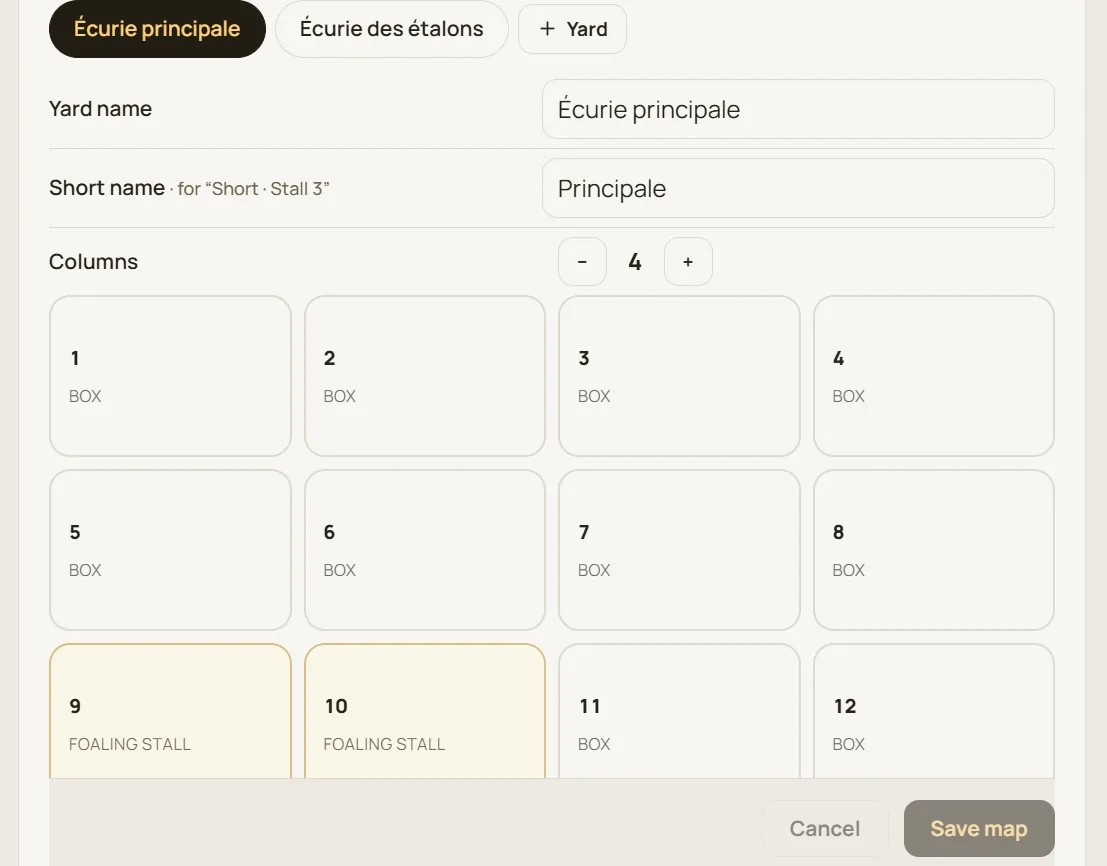
The visual editor draws your layout on a grid: stable blocks, boxes, aisles, rooms, fields and areas. Several buildings and around a hundred horses fit with no difficulty.
- Foaling boxes and double boxes
- Box identifiers never change, even when the layout does
Fields and paddocks: who goes out, where, and with whom
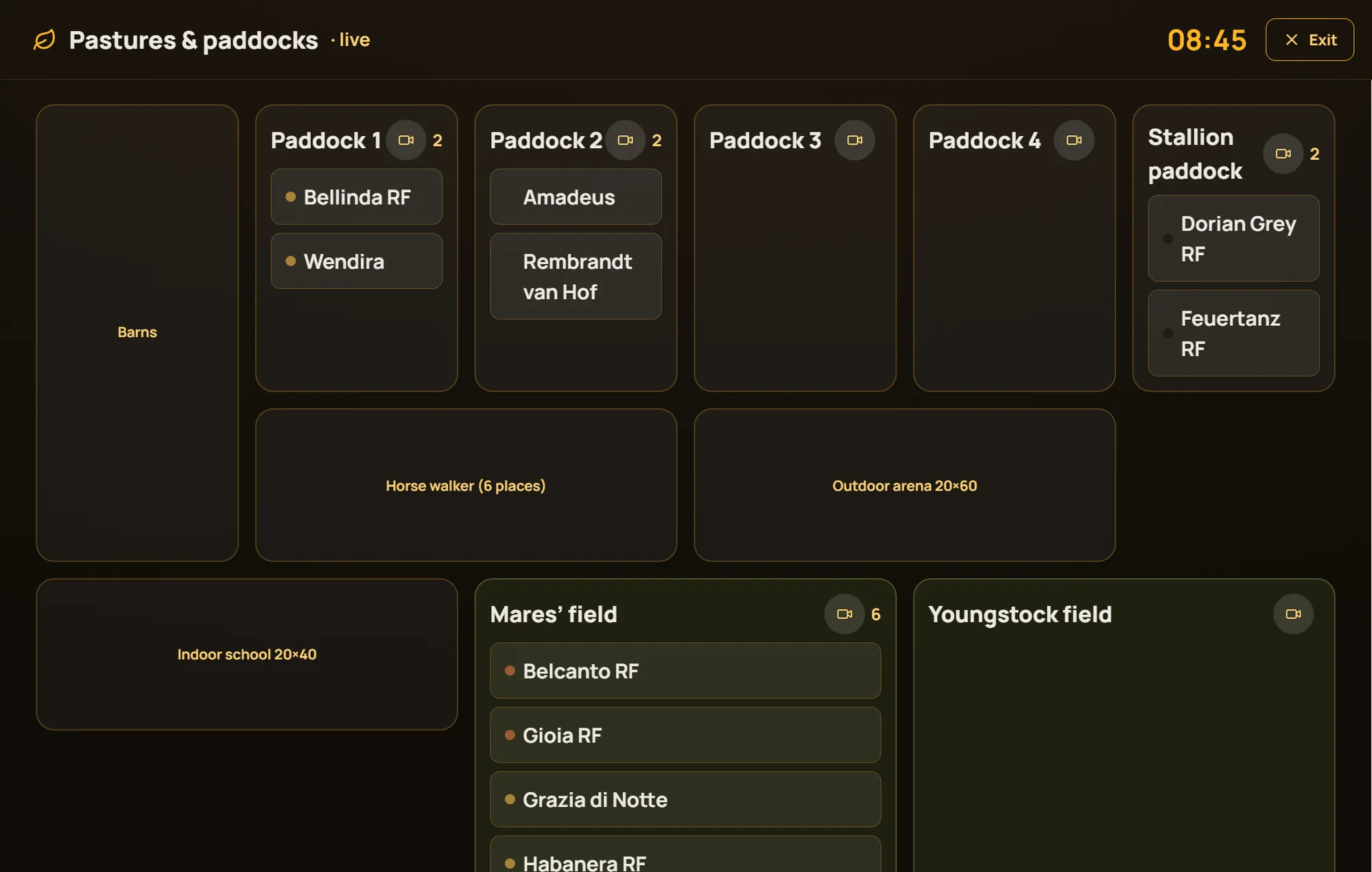
The fields and paddocks view follows the day’s scheduled turnout in real time. You can place a horse by hand, save a usual arrangement and restore it in one tap the next day.
Tap a horse to see its feeds and care for the day. A horse that is away or at livery elsewhere disappears from the fields by itself.
Wall screens you can read from a distance
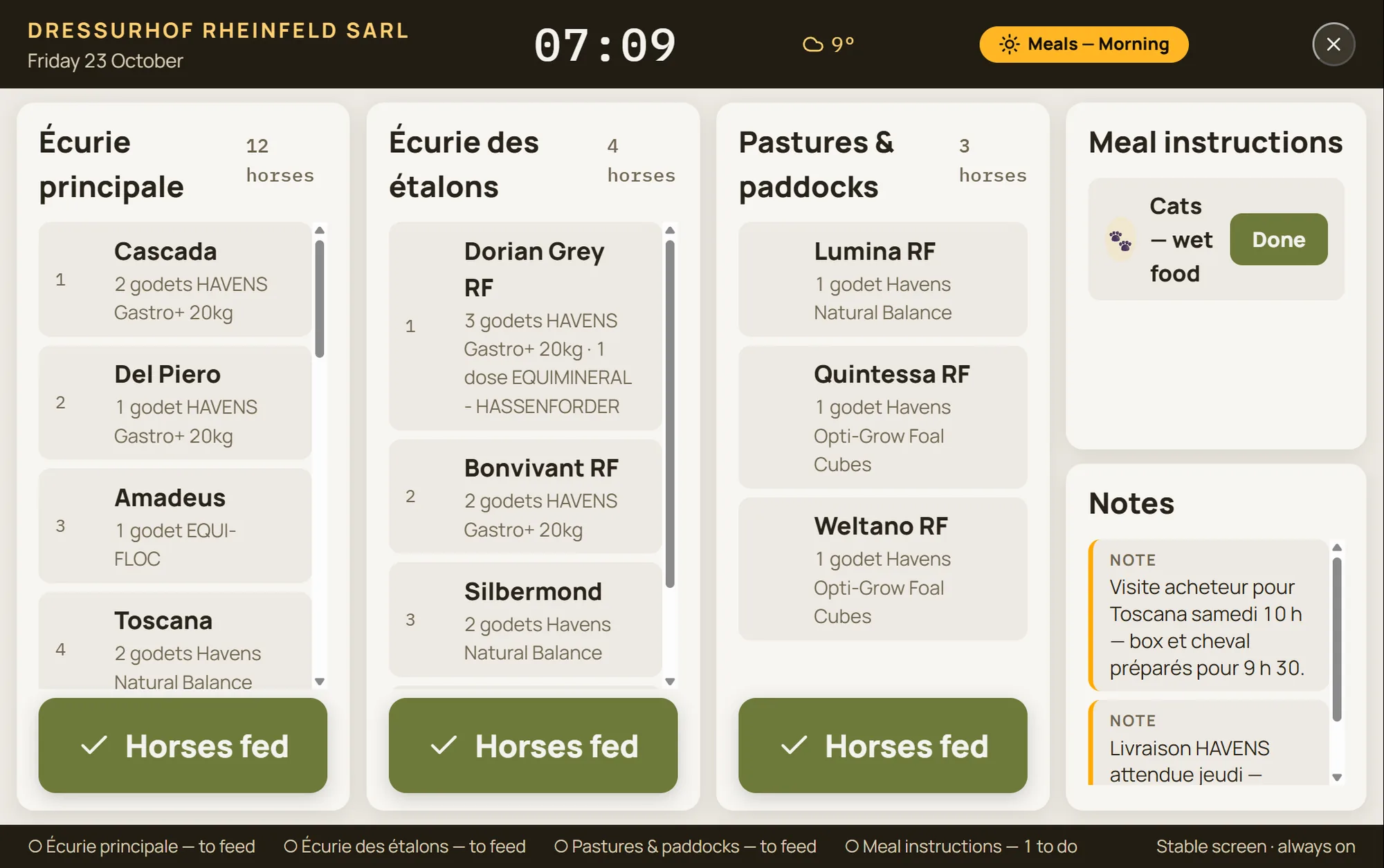
Two displays are designed for a tablet mounted in the aisle: “Yard · Duty board”, with the programme, due dates and care, instructions, weather and the day’s team, and “Yard · Pastures & paddocks”, showing where the horses are.
They open without anyone logging in, refresh every minute and show no personal data. The manager can switch them off in the settings.
- Today’s treatments, with “Who gave it?”
- Staff clock-in on the same screen
The day’s instructions, with the weather just below
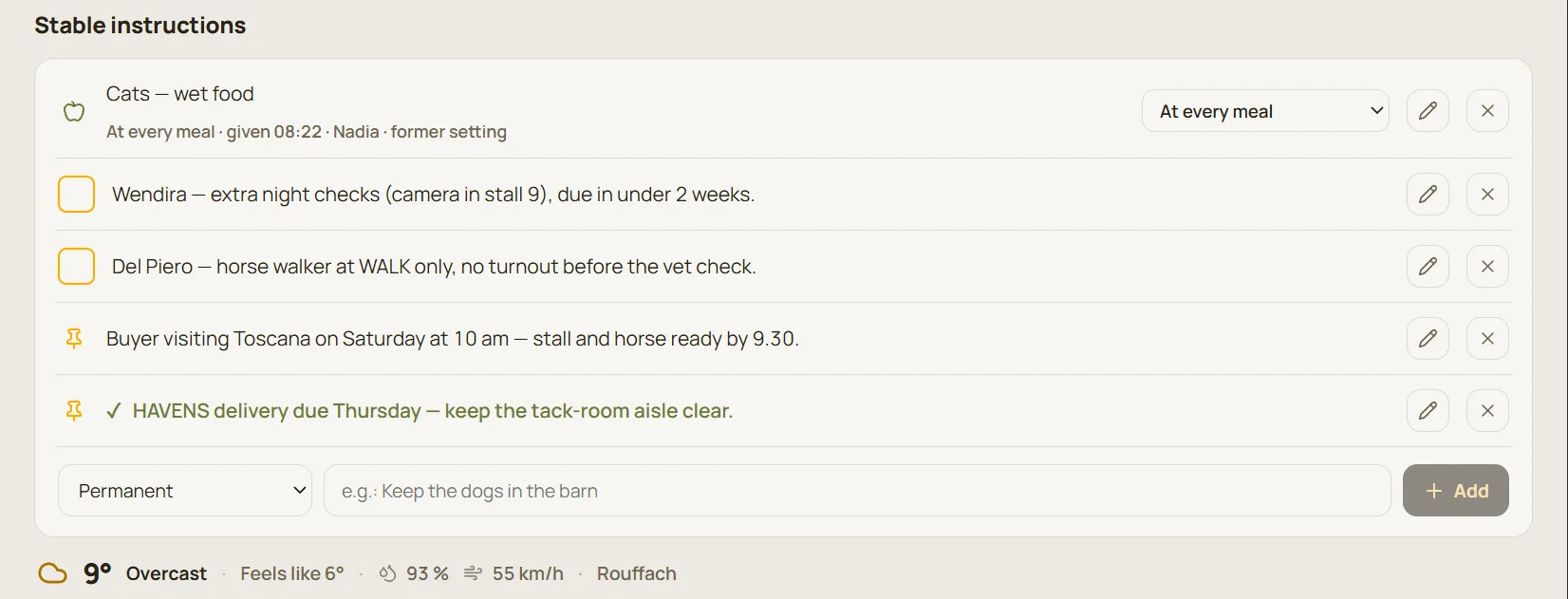
An instruction takes one line: permanent, one-off, or tied to a particular feed. It stays at the top of the day’s screen and the aisle screen until someone ticks it off, and you can see who did. Important ones can be pinned.
Just below sits the weather for your area: feels-like temperature, humidity and wind. In a gale, a thunderstorm or a hard frost, a warning appears at the top of the screen with yard advice, such as bringing the horses in or stopping the horse walker.
Yard cameras, as an option
If your yard has UniFi Protect cameras, StallDesk can show their picture from the relevant box or paddock, with the “View camera” button. The stream goes through a relay installed at your yard: the images never pass through our servers.
Without the option, there’s no trace of cameras in the interface. We don’t supply the hardware or the recorder; we tell you what you need.
Everything included for the yard and paddocks
Stable map
Stable blocks, boxes and occupancy; drag-and-drop placement.
Visual editor
Grid, boxes, aisles, rooms, fields and areas; layout import and export.
Fields and paddocks
Today’s turnout in real time, and the usual arrangement.
Show on the map
A horse’s box flashes, straight from search.
Duty board
Programme, care, instructions, weather and team on a tablet.
Paddocks screen
Where the horses are, readable from a distance.
Clock-in
Staff clock in and out with a four-digit code.
Weather warnings
Wind, thunderstorms, heavy rain, snow, heat and cold, with advice.
Cameras
As an option, the view of a box or paddock from the record, for yards with cameras.
Questions about the yard and screens
What tablet do I need for the wall screen?
Any recent tablet with an up-to-date browser, iPad or Android. The screen opens from a simple web address and refreshes itself.
Does the wall screen show confidential information?
No. It shows the day’s duties without any personal data, no leave and no contact details, and the manager can switch it off.
Can we map a yard with several buildings?
Yes. The map takes several stable blocks and plenty of fields and paddocks; StallDesk has been tested with a hundred horses spread across four stable blocks and nineteen areas.
See your yard mapped in StallDesk
During the demo, we show you the map of a complete yard and how to draw your own in the editor.